







Consistency of all design phases through object orientation


E3.series provides a leading single-platform solution to take electrical and fluid control designs from concept to manufacture. E3.series encompasses functional design, detailed schematics (electrical and fluid), wiring and tubing diagrams, through to control cabinet and wire harness layout in 2D and 3D.
All applications are driven by an intelligent database that enables electrical, and logical checks that ensure correct connections by design. E3.series connects to leading MCAD design platforms to streamline the creation of digital twins. It transforms product development with electrical data management solutions seamlessly connecting to existing PLM and PDM systems. The enterprise-level options simplify collaboration between teams of all sizes working across the globe.

Consistency of all design phases through object orientation

Powerful automated operations and electrical checks

Comprehensive outputs for manufacturing and documentation

Native format library and design data management
Electrical design teams are constantly looking to increase efficiency, reduce costs, improve quality and reduce time to market. Design automation plays a significant role in helping different teams create quality products in the shortest time frame.
E3.series optimizes every aspect of the electrical design process with automation options to unlock unmatched consistency, quality, accuracy, and speed. The ease of use, object-oriented architecture, unified library, and open API enable design teams to uncover new efficiencies while improving current processes.
Learn more


The increasing complexity and demand for wire harnesses are changing the competitive landscape. The traditional manual, labor-intensive wire harness design and manufacturing processes are largely obsolete. An efficient wire harness design for the manufacturing process needs a solid ecosystem of intelligent systems collaborating to produce the best results in the least time at the lowest price.
The E3.series wire harness ecosystem empowers wire harness engineers to take advantage of innovative automated test, assembly and manufacturing solutions to stay ahead of the competition.
Learn more
Electrical panels are the nerve center of complex control systems like switchgear, PLCs, motor control centers, and power distribution systems. Implementing design-for-manufacture principles improves a panel’s form, fit, and function significantly. In addition, the solutions of the Smart Cabinet Building Initiative can be applied to streamline and optimize the entire process from development to service.
E3.series simultaneously represents a panel in both 2D and 3D, eliminating the need to learn complex 3D mechanical tools. The manufacturing data captured in the project powers automated manufacturing, wiring, and assembly solutions from leading industry partners.
Learn more
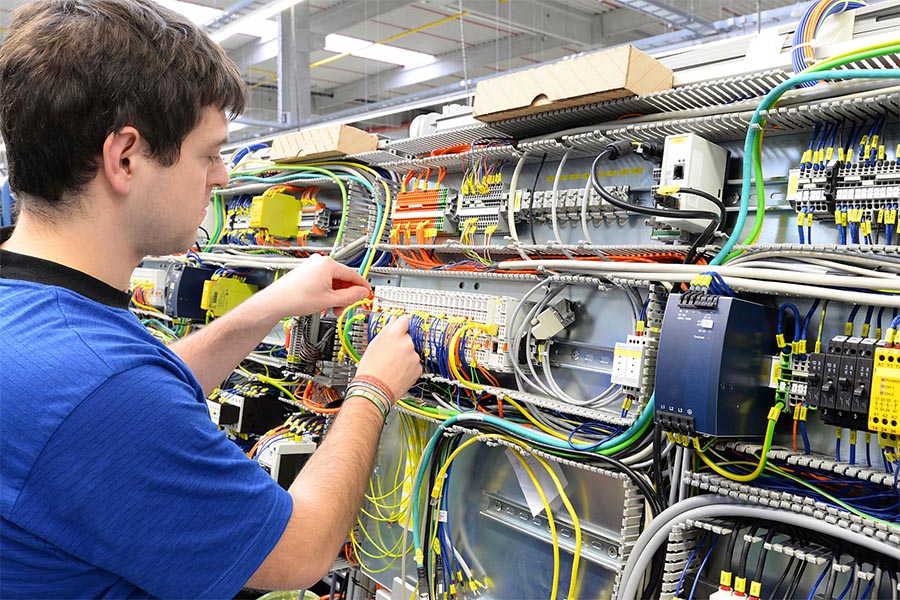

PLM systems are typically not well equipped to manage electronic component libraries and work-in-process data required in the electrical design process. Zuken’s DS-E3 provides E3.series users with WIP design data management, design collaboration, project management, design re-use, “where-used” traceability, and much more.
DS-E3 is also fully integrated with leading PLM systems for manufacturing hand-off or component information synchronization. Component information can be automatically synchronized with supply chain partners.
Learn more
A digital twin is vital to digital transformation across all industries, with ECAD and MCAD design data at the core of the digital replica. An intelligent connection between various engineering and business systems is essential to take advantage of the next wave of technological advancements.
E3.series provides efficient connections to leading MCAD solutions and business systems. The enterprise multi-user options enable real-time project collaboration to help global teams avoid errors and meet tight deadlines.
Learn more
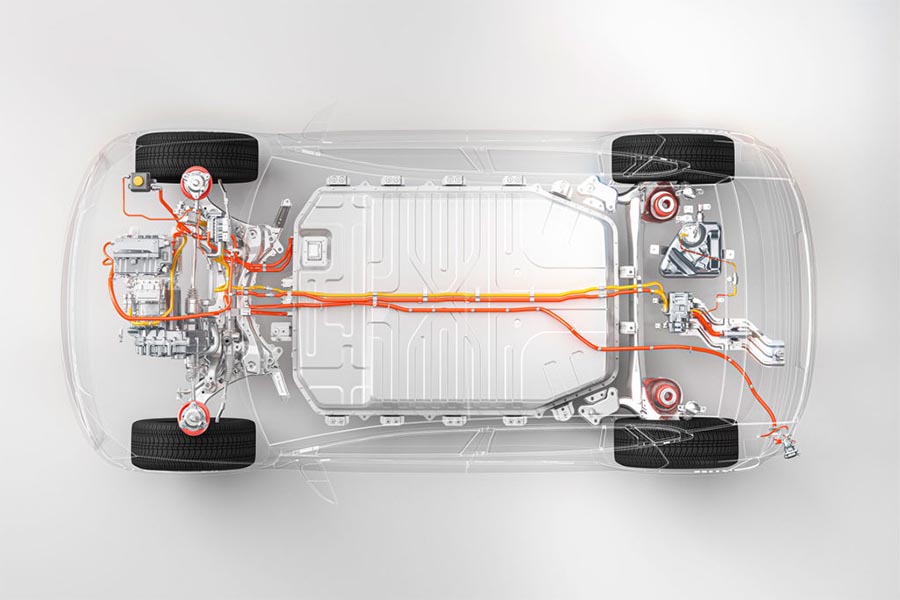

Industry 4.0 and digital transformation initiatives are increasing the growth of next-generation automated manufacturing solutions. An important part is capturing manufacturing constraints, requirements, and design intent during a development process. An efficient and connected design to the manufacturing process plays an outsized role in the success of most digital transformation projects.
E3.series provides a streamlined design for a manufacturing platform that connects to leading digital assembly and automated manufacturing solutions. Moreover, it seamlessly connects to existing business systems like ERP, PLM, and PDM to optimize manufacturing processes.
Learn more
Customer Testimonials
Omexon & Haulotte discuss why they choose to work with Zuken
E3.series is a leading single-platform electrical CAD software capable of taking a design from concept to manufacture. E3.series encompasses all aspects of electrical design:
E3.series object-oriented database architecture ensures that any update made in one part of the design is automatically reflected across all related documents and views, maintaining consistency and accuracy throughout the project.
E3.schematic is at the core of all E3.series deployments, providing a comprehensive solution for electrical system design, including schematic diagrams, terminal plans, and PLC documentation. This central module boosts design accuracy and efficiency with real-time design rule checks and a smart parts library. Its object-oriented architecture ensures that manufacturing instructions remain in sync with design data, simplifying the creation and documentation of complex electrical systems.
E3.cable is used to design and document cable plans and cable harness drawings. E3.cable is an extension of E3.schematic to combine individual wires into multicores or cable bundles, add shielding and twisted pair structures to the multicores, and automatically display them in the schematic. Complete systems and subsystems such as control units, rack equipment, or even black boxes can be replicated as functional blocks in a hierarchical design.
E3.RoutingBridge enhances collaboration between electrical and mechanical design teams. It integrates electrical harness data with MCAD systems for accurate 3D routing and provides feedback to E3.series for final manufacturing details, ensuring synchronized designs whilst improving accuracy and efficiency in product development.
E3.panel enables engineers to layout components within control cabinets in both 2D and 3D. The signal logic is inherited from the E3.schematic circuit diagram. Wires can be routed automatically through in the control cabinet by means of an auto-routing function. With special links to the wire processing machines, wires can be automatically stripped, crimped and marked. With these features, E3.panel provides an integrated engineering solution for advanced control cabinet engineering.
E3.fluid is the solution for designing and documenting all fluid systems. It is a complete, easy-to-use solution with core functionality optimized for developing hydraulic, pneumatic, cooling, and lubrication systems.
Development of standalone fluid schematics or combined with electrical schematics to provide a mixed fluid and electrical design is available.
Streamline your E3.series electrical data management with DS-E3 Starter Package, an off-the-shelf subset of the full DS-E3 suite. Offering easy searches, automatic versioning, and a fool-proof release process, it is designed for scalability and enhanced productivity, offering the perfect data management launchpad for your electrical design needs.
This webinar covers the logical part of the wire harness design process consisting of creating the wiring diagram and the topology design.
This webinar will provide details and demonstrations of the various tools available to help support the manufacturing automation of cabinet / panel designs.
Who doesn’t recognise this? Many versions, many intermediate results, many copies, who has the latest version? Where is it stored? Who is currently working on it? Which settings, structure and database is the right one? We want to answer all these questions in this presentation.
The new release focuses on minimizing repetitive tasks, improving data integrity, and accelerating project timelines - particularly for designs involving complex variants, large component libraries, or integrated 2D/3D workflows.
Latest E3.series Blog Posts
See how E3.3DPanelBridge brings mechanical installation spaces into E3.Panel, helping electrical engineers place components with the actual available space in mind.
Discover how Alpine Tech is applying Formula 1 engineering expertise to help customers accelerate product development with rapid prototyping and E3.series.
Build accurate dynamic cables in E3.series by defining cores, shields, and twisted pairs so schematics, reports, and formboard outputs stay consistent.
E3.series automation is entering a new era as Microsoft phases out VBS. With the official Python package, Zuken offers a modern, future-proof way to automate E3.series while preserving all familiar capabilities.
Use Fields in E3.series to stop splitting designs across multiple pages, keep device inheritance correct, and generate clean reports when multiple functions share one sheet.
Use Fields in E3.series to stop splitting designs across multiple pages, keep device inheritance correct, and generate clean reports when multiple functions share one sheet.