General-purpose CAD software primarily represents lines, shapes, and text. Electrical CAD software understands components, pins, wires, cables, and the relationships between them, allowing it to automate cross-references, reports, design checks, and updates across a project.

What is E3.series?
FAQ
Menu
E3.series is...
Zuken’s E3.series is a leading single platform solution to take a design from concept to manufacturing. It is a reimagined wire harness, control cabinet, switchgear, and cabling systems design solution. E3.series encompasses all aspects of electrical design, like functional design, detailed schematic, wiring diagram, cabinet layout, formboard, reports, and manufacturing documentation.

Understanding E3.series
E3.series supports functional diagrams, electrical schematics, wiring diagrams, cable and wire harness designs, formboards, control cabinets, panels, and related manufacturing documentation. The platform also includes options for fluid systems such as hydraulics and pneumatics.
E3.series is used by electrical engineers, wire harness and control panel designers, database librarians, and manufacturing teams. It supports organizations in automotive, aerospace, transportation, industrial machinery, energy, defense, and other industries that develop complex electrical systems.
Choosing an E3.series Solution
E3.series is a modular platform, so each configuration is tailored to the customer. The recommended modules depend on what the team designs, which documents it produces, how many people need access, and whether the software must connect with other engineering, business, or manufacturing systems.
Large organizations designing complex electrical systems with multiple wire harnesses typically use E3.cable and E3.formboard as their core design tools. E3.enterprise and DS-E3 can then add multi-user engineering, centralized data management, and enterprise-system integration. Additional tools can support system architecture, 3D routing, and manufacturing outputs.
A wire harness manufacturer typically uses Harness Builder for E3.series to create schematics, full-scale formboards, cost and labor estimates, BOMs, manufacturing documentation, and connections to production equipment. Additional modules can provide digital work instructions and production tracking.
A control panel design team typically starts with E3.panel, which supports electrical schematics and 2D/3D cabinet layouts. Panel Builder for E3.series brings digital work instructions and production tracking to manufacturing workflows. Additional modules can support PLC data exchange and other manufacturing documentation.
E3.series pricing depends on the modules included and how the software will be licensed. Licensing is flexible based on license duration, geographic coverage, and access model. Contact Zuken to discuss your requirements and receive a customized quote.
Yes. Zuken offers guided, cloud-based test drives for selected E3.series solutions for electrical design, panel design, and cable design and manufacturing. These evaluations allow users to explore key workflows without installing the software. Product demonstrations are also available for teams with specific requirements.
Implementation and Adoption
E3.series supports common exchange formats, including configurable DWG and DXF import and export, as well as data exchange through Excel and CSV files. The best migration approach depends on the source data and the level of electrical intelligence it contains. Zuken can evaluate your existing data and recommend an appropriate conversion strategy.
The timeline depends on the selected modules, team size, existing data, and the amount of configuration required. Implementation typically includes software installation, library preparation, and workflow configuration. A structured onboarding process helps teams make these decisions early and become productive faster.
Zuken provides guided onboarding, web-based and instructor-led training, self-help videos and articles, user forums, community chat, and formal technical support. Customers can also work with their account team for company-specific workflows, or visit Zuken Community for self-paced support.
Yes. E3.series supports both single-user and multi-user working models. E3.enterprise allows multiple engineers to work concurrently on the same project while synchronizing project data to help maintain consistency.
E3.series includes viewer and redlining options for people who need access to project information without a full authoring environment. The free E3.viewer opens native project files, while additional viewer and redlining tools support broader review, analysis, markup, reporting, and collaboration needs.
Integration, Automation, and Data
E3.series can identify issues such as unconnected pins, duplicate device names, invalid connections, missing component and wire data, and more. Its object-oriented architecture keeps related drawings and reports synchronized, helping prevent discrepancies during design changes. Teams can also configure checks based on their own engineering rules and company standards.
E3.series supports bi-directional data exchange with leading MCAD applications, helping teams coordinate component placement, harness routing, and design changes. PDM, PLM, and ERP integrations connect E3.series projects with established revision, release, and product-data workflows. Many technology partner integrations are available, and custom bridges can be built with E3.series’ open API.
Manufacturing information captured during design can drive downstream documentation, digital work instructions, and automated equipment. E3.series data can support wire processing machines, testers, label printers, panel machining, harness assembly, and production tracking while reducing manual data entry and reprogramming.
Yes. E3.series includes component-library options with electrical and manufacturing attributes used for design automation and error checking. Teams can create and maintain company-specific parts and can also access validated supplier content through Component Cloud for E3.series.
Yes. E3.series supports configurable drawing templates, reports, output formats, attributes, and company standards. E3.ReportGenerator can create customized reports without additional programming, while the open API and scripting options support deeper workflow automation and system integration.
Addressing Specific Electrical Design Challenges
DS-E3 centrally manages E3.series projects, libraries, BOMs, and configuration data. It supports access control, revision and approval workflows, and the reuse of validated design modules across teams and locations. DS-E3 can also connect electrical data with enterprise PDM, PLM, and ERP systems.
E3.series variants and options allow teams to manage multiple product configurations within a single project. Devices, connections, and other design objects can be assigned to specific variants, options, or combinations. This reduces duplicate projects and keeps shared design data consistent.
Drawing Notes Manager provides a central place to create, organize, and reuse standard notes across drawings and projects. It supports automatic numbering, bulk updates, images, hyperlinks, and notes attached to specific parts or drawings. This helps teams communicate design intent consistently without editing every note individually.
E3.eCheck provides real-time functional analysis for DC electrical circuits. It monitors current, voltage drop, component behavior, and fuse tolerances to identify circuit-operation and sizing problems during design.
E3.WiringChecks digitizes the testing of fully wired machines, vehicles, and control cabinets before or during commissioning. Technicians can record completed checks, document faults in the corresponding schematic location, and route issues to the appropriate teams. Test results and corrective actions remain part of the E3.series project record.
Related Products & Resources

- Blog
October 29, 2026
Halloween Tips and Tricks: 6 Spells for Smarter Electrical & Electronic Design
cr-8000, e3-series, Electrical, Electrical & Wire Harness, Electronic, PCB Design, Circuit Advisor, CR-8000, CR-8000 Tech Tips, E3.series, E3.series Tech Tips, Halloween Tips and Tricks, Harness Builder for E3.series, IP Management, PCB design, Tech Tips, Wire harness design, Blog
- Webinar
October 15, 2026
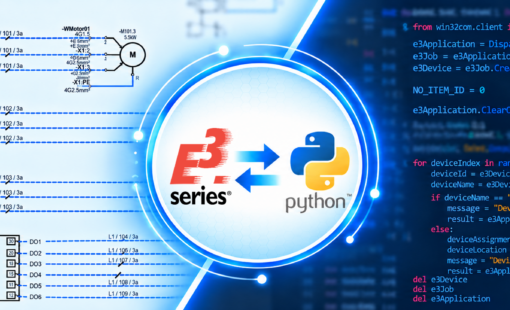
E3.series API Scripting with Python: Moving Beyond VBScript
Webinar, Zuken USA, Control Panel Manufacturing Software, What’s New in E3.series 2027

- Blog
October 15, 2026
E3.series Software Onboarding: How Zuken Helps Teams Get Started
e3-series, Electrical & Wire Harness, Customer Success, E3.series, ECAD, Electrical Design, Electrical Engineering, Engineering Software, Software Implementation, training, Blog
- Blog
October 08, 2026
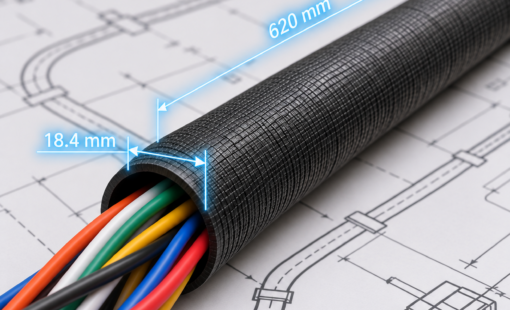
Tech Tip: Automated Cable Protection Placement with Harness Builder for E3.series
e3-series, Electrical & Wire Harness, Tech-Tips, E3.series, E3.series Tech Tip, Harness Builder for E3.series, Blog