iStock-1053838956-1510x731

What’s New in E3.series 2027

The Top 10 New Features at a Glance
Menu

View anywhere. Design faster. Document better.

E3.series 2027 expands the platform with new capabilities for secure project access, Multi-User administration, manufacturing documentation, and design productivity. Engineers can securely view projects in a web browser, archive completed Multi-User projects, generate complete 2D enclosure views for manufacturing, and benefit from numerous workflow improvements for variants, routing, symbol placement, and project navigation.

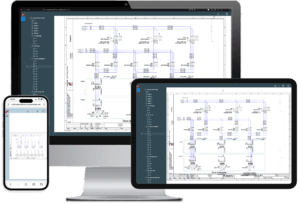
Web-based project access with E3.CloudView

Engineering information is most valuable when it is available wherever work happens. E3.CloudView enables users to securely access project documentation directly from a web browser without requiring a local E3.series installation.

Whether supporting production, commissioning equipment at a customer site, or performing maintenance in the field, users can quickly open electrical schematics in 2D, explore cabinet layouts in 3D, and navigate complex projects using familiar browser technology.

Because documentation is always accessed from a central source, teams can work with the latest project information while avoiding outdated printed documentation. The browser-based interface also makes engineering data more accessible to colleagues who do not require a full engineering workstation.
e3-clodview-300x204

Multi-User Security & Project Management

E3.series 2027 introduces new capabilities that improve both security and administration in Multi-User environments.

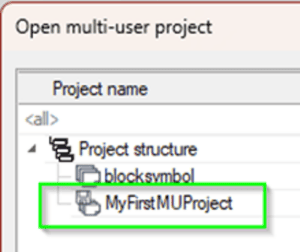
Support for Kerberos authentication enables organizations using Microsoft Active Directory to authenticate users with modern enterprise security standards. At the same time, new project archiving capabilities allow completed Multi-User projects to be moved out of the active database while remaining available in read-only mode.

By reducing the number of active databases, organizations can lower SQL Server licensing costs, reduce storage requirements and keep project databases easier to manage.

e3-multi-user-300x252

Faster Navigation and Everyday Productivity

Many engineering teams customize E3.series extensively, making it increasingly difficult to locate specific settings or navigate large projects.

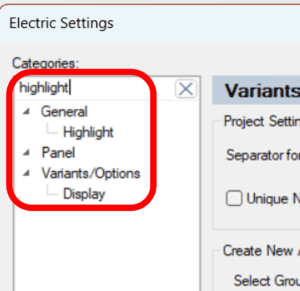
E3.series 2027 introduces several usability enhancements that reduce the number of clicks required during everyday engineering work. Engineers can quickly search configuration settings, jump directly from components to their associated formboard representation, and receive automatic notifications when software or add-on updates become available.

Together, these improvements reduce the time spent searching for information and allow engineers to stay focused on design.

e3-search-function-300x291

Better Support for Global Engineering Teams

Global engineering organizations often need to generate documentation that complies with regional standards and customer requirements.

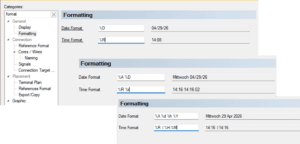
New configurable date and time formatting allows documentation to automatically follow local conventions, helping engineering teams produce clearer, more consistent project documentation for customers and manufacturing sites around the world.

e3-define-format-300x144

Improved Variant & Formboard Engineering

Working with product variants and formboard designs becomes more efficient in E3.series 2027.

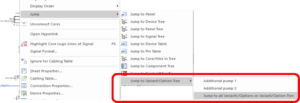
Engineers can now move devices and associated nodes together during formboard editing, while additional Variant & Option enhancements make it significantly easier to navigate and edit configurable products. They can also jump directly from components to their associated Variant & Option structures and edit Variants and Options directly from tables,

These improvements reduce manual editing, preserve design intent, and simplify engineering changes throughout the design process.

e3-jump-300x103

Better Cable and Connectivity Information

Manufacturing teams depend on accurate cable information to assemble products correctly.

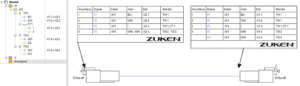
E3.series 2027 expands the available connectivity information by displaying shield and twisted-pair relationships throughout the application, including diagrams, tables and project trees. Connection text types now also include shield information, making cable structures easier to understand and reducing the risk of manufacturing errors.

The result is more complete documentation and improved communication between engineering and production.

e3-shields-twisted-pair-300x86

Smarter Schematic Editing

Several new editing capabilities simplify the creation and management of electrical schematics.

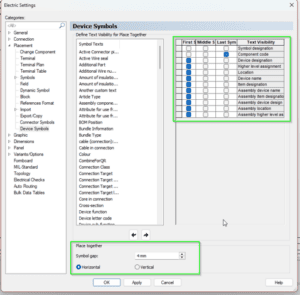
Engineers can now place multiple symbols simultaneously with configurable spacing, direction and visibility, making repetitive tasks significantly faster. Group management has also been enhanced, allowing groups and group elements to be displayed directly within the project tree for improved project organization.

Together these enhancements streamline schematic creation while improving project clarity.

e3-place-together-300x295

Improved Panel Routing and Visualization

Panel designers benefit from several enhancements that improve both visualization and routing.

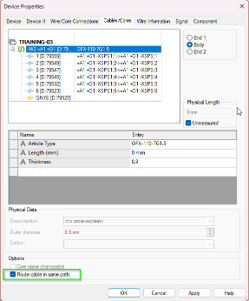
Wires and conductors can now be displayed transparently within 3D cabinet layouts, making crowded designs easier to inspect. Routing algorithms have also been improved to keep cables together in cable ducts wherever possible, resulting in more realistic routing paths and more accurate fill-factor calculations.

In addition, routing operations can now focus only on selected panel connections, simplifying troubleshooting and incremental design changes.

e3-routing

Comprehensive Manufacturing Documentation

Preparing manufacturing documentation becomes significantly easier with E3.series 2027.

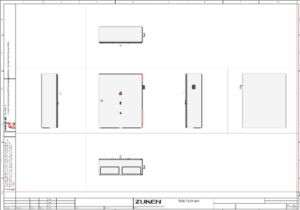
The new 2D Manufacturing View automatically generates complete enclosure views from multiple perspectives, including front, rear and side views. Engineers can add dimensions and annotations while generating documentation according to ISO first-angle or third-angle projection standards.

Instead of manually assembling manufacturing drawings, cabinet builders receive clear, consistent documentation that supports production and helps reduce assembly errors.

e3-2d-manufacturing-view-300x210

Improve Readability with Arc-style Line Jumps

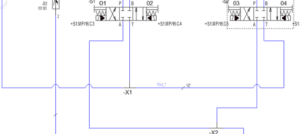
E3.series 2027 introduces configurable arc-style line jumps at line intersections.

These adjustable display options improve diagram readability while supporting industry drafting standards, making complex schematics easier to interpret and maintain.

e3-line-arcs-300x134

Import 3D Panel Models with E3.series Intelligence

Recreating mechanical enclosure geometry for electrical panel design requires additional work and can introduce inconsistencies between engineering disciplines.

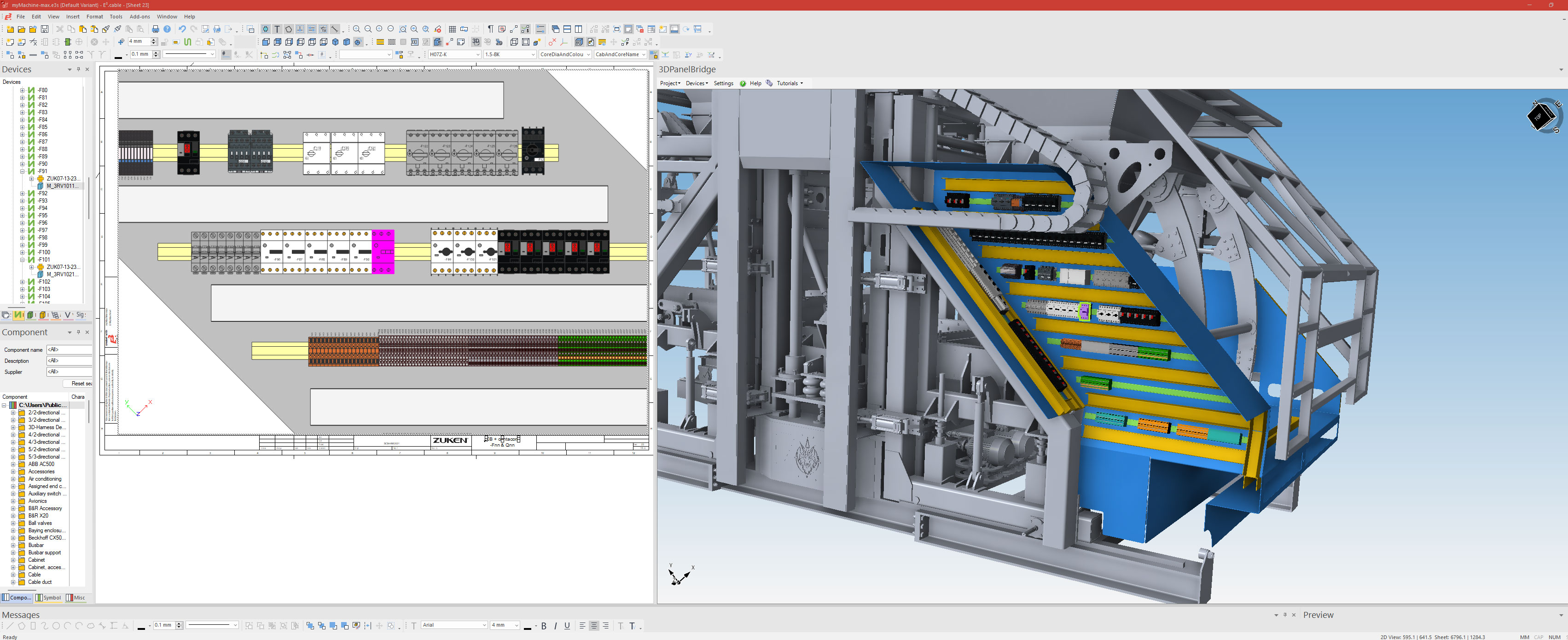
E3.3DPanelBridge opens STEP models within E3.series and helps users identify mounting plates, rails, and cable ducts. These elements can be converted into native E3.panel objects, providing a foundation for component placement and wire routing.

By reusing existing mechanical data, engineers can create panel layouts faster, maintain alignment with the physical enclosure, and reduce design issues before manufacturing.


E3.3DPanelBridge interface showing a mechanical panel model and native E3.panel design objects for component placement and routing.
E3.3DPanelBridge converts mechanical panel models into native E3.panel design objects for placement and routing.