
What’s New in E3.series 2018
Test Drive

Cable Design Software Evaluation
The latest release of Zuken’s electrical and fluid engineering solution, E3.series 2018, addresses the challenge of growing complexity within today’s products and processes.
Key enhancements lie in the areas of topology planning, modularity support and variant handling, which are designed to support the requirements of manufacturing companies pursuing modular product strategies to control complexity.
Evaluate Zuken Software
Start Your Test Drive Today

- Test Drive
June 20, 2019
Cable Design Software Evaluation
Test Drive, Zuken USA
Test Drive E3.cable

- Test Drive
June 21, 2019
Electrical Cabinet Design Software Evaluation
Test Drive, Zuken USA
Test Drive E3.panel

- Test Drive
June 21, 2019
Wire Harness Manufacturing Software Evaluation
Test Drive, Zuken USA
Test Drive Harness Builder for E3.series
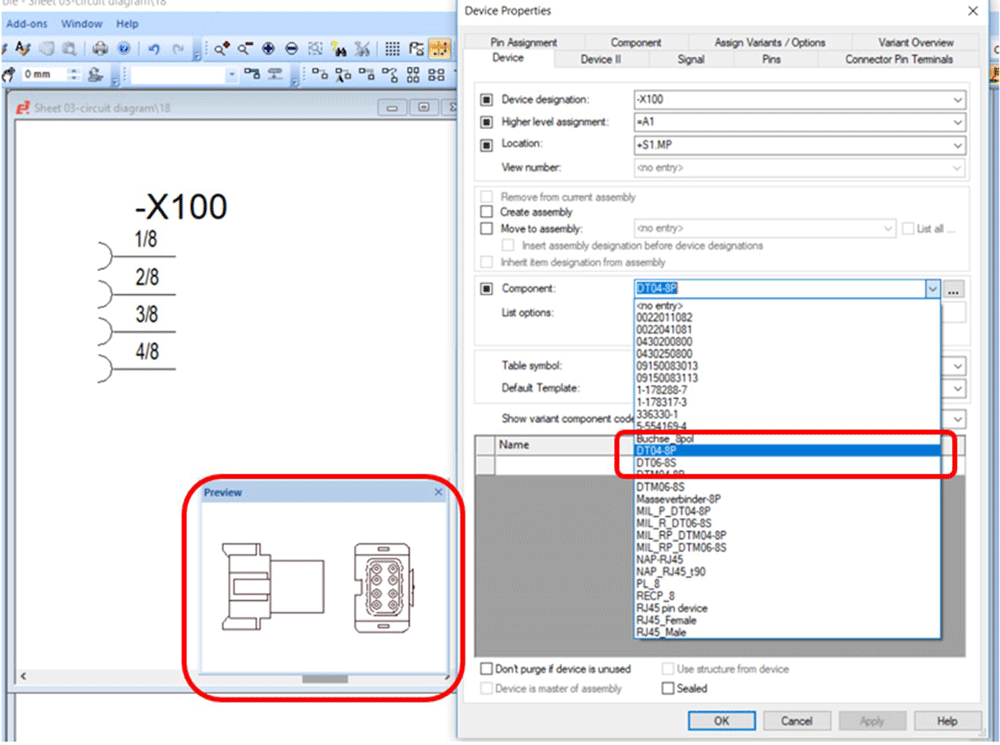
Display of component preview symbol
Access to device properties and connection details in schematic, cable plan and formboard drawings has been enhanced to support the requirements of advanced users. A preview symbol is now displayed automatically when selecting a component in the device tree.
Export/import structure node assignment for sub-circuits
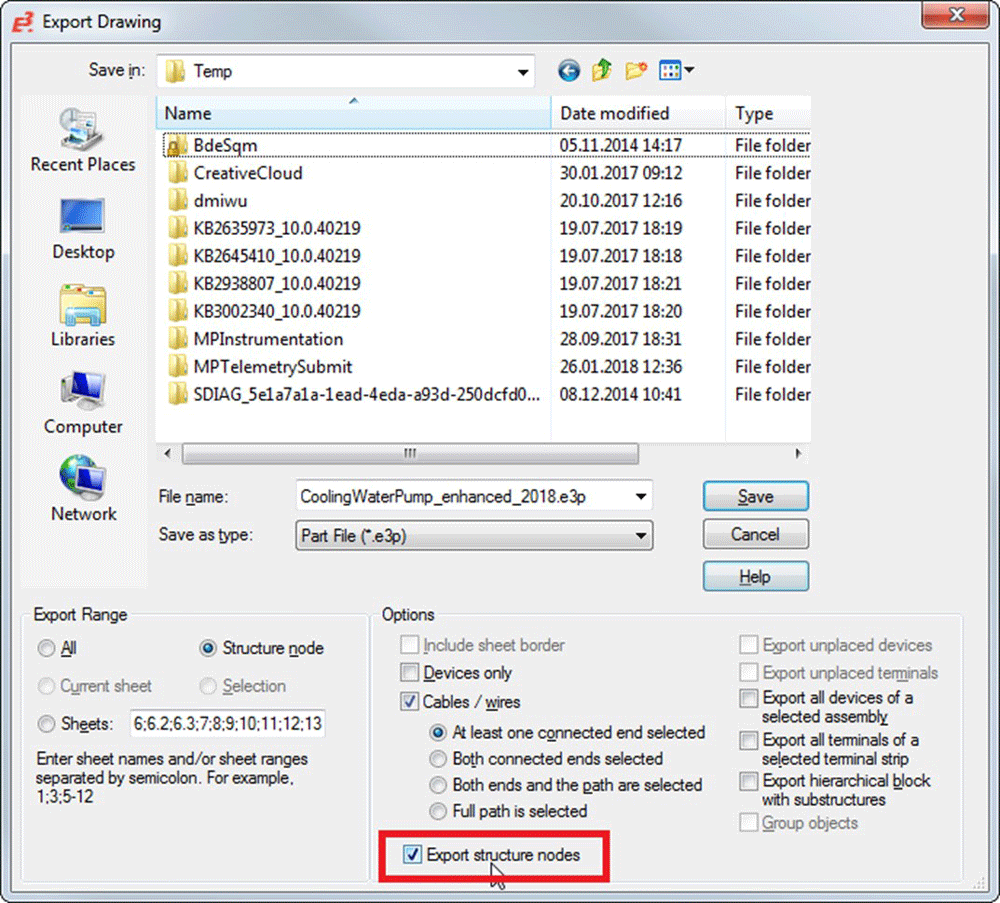
Sub-circuits can be imported and exported, together with their node assignments and attributes. Attributes of all related nodes can be exported automatically, maintaining their inheritance properties, reducing manual effort, and creating the prerequisites to automatically generate projects with configuration tools.
E3.cable / E3.fluid
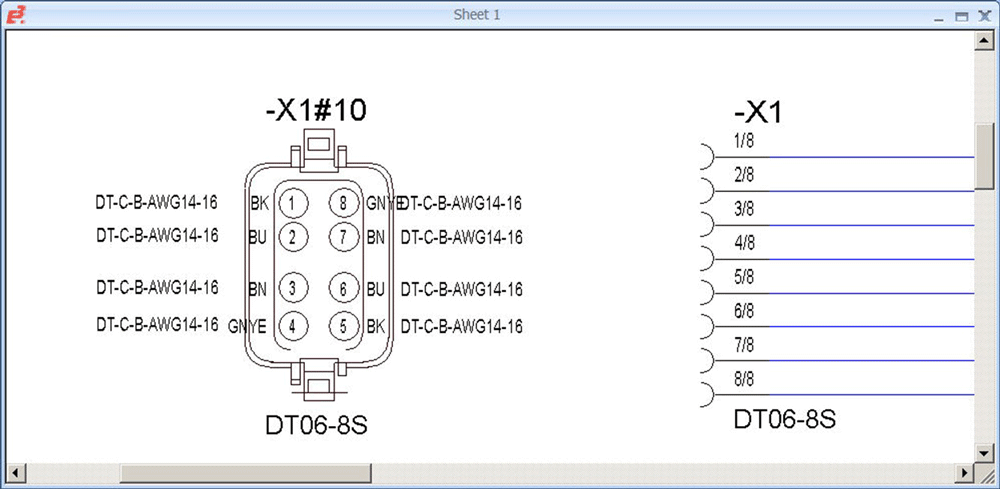
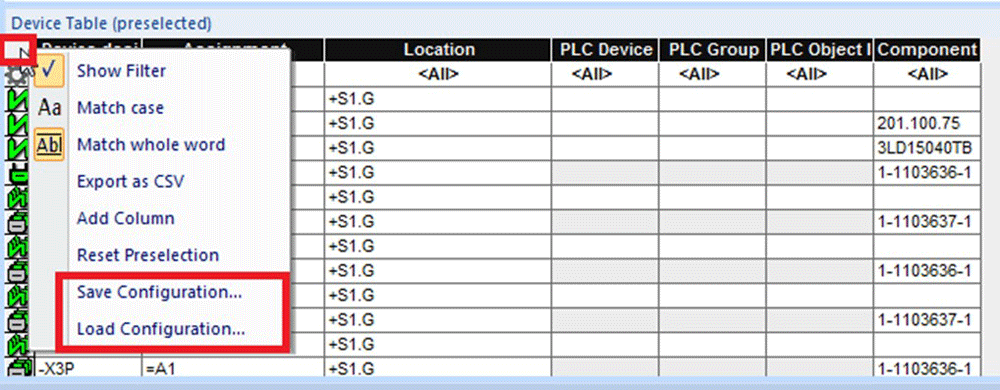
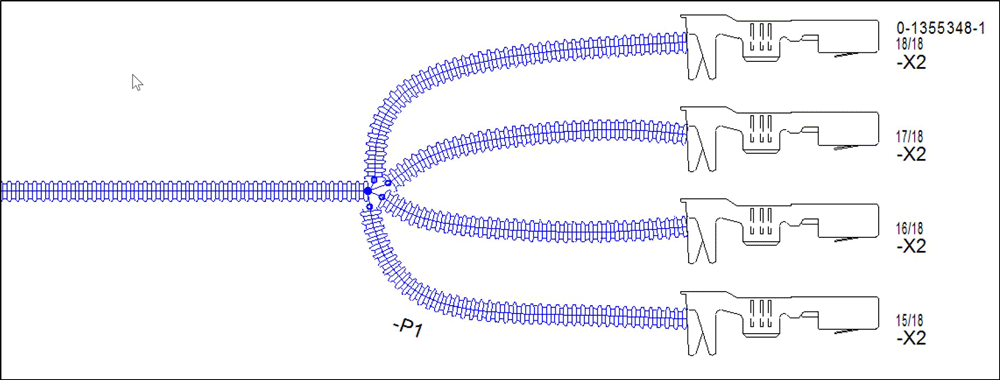
Display attributes in view symbols and formboard tables
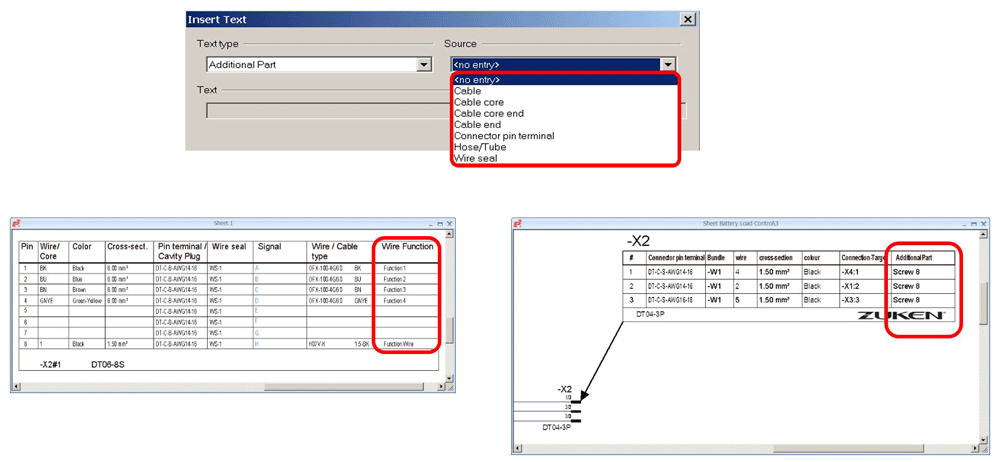
Connection attributes, conductor attributes, cable attributes and hose/tube attributes can be displayed in view symbols and formboard tables.
Texts and attributes are assigned in the Data Base Editor (DBE).
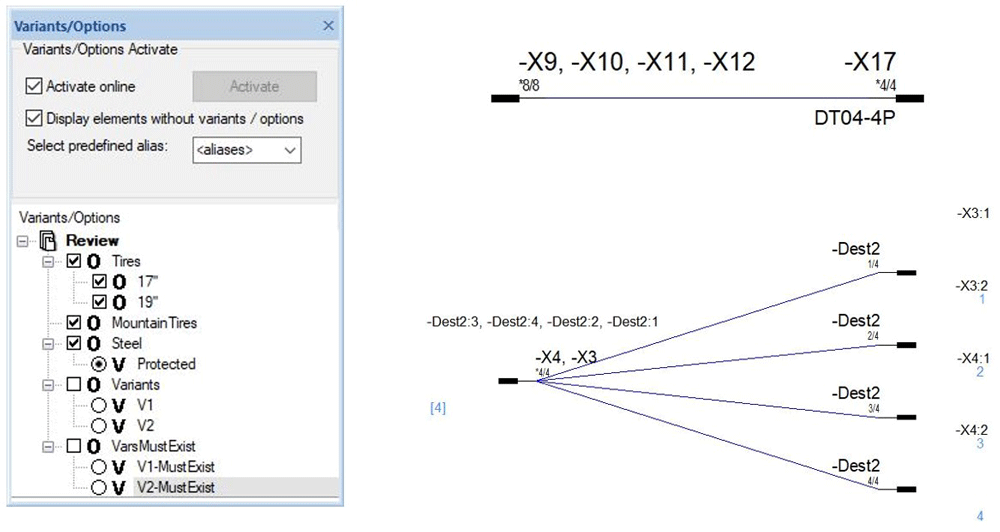
Display multiple connectors with variants and options using one symbol
The management of circuit variants and options has been extended with the ability to display multiple connectors with different variants and options in a single symbol. The related text, connection targets, and wires placed on the connection line are displayed automatically, as variants or options are activated in the feature tree.
E3.topology
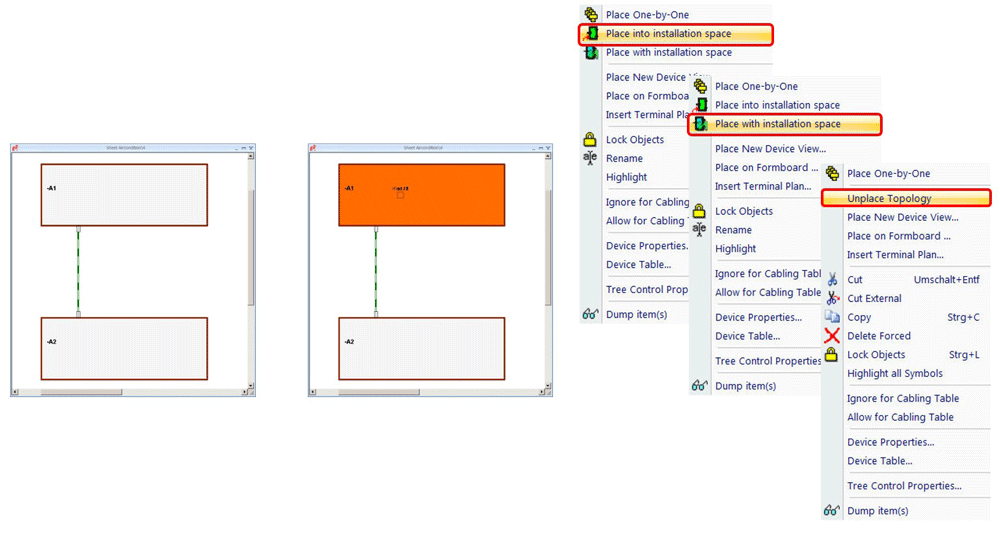
Place all unplaced components simultaneously
Topology planning in E3.series has been enhanced to support loading and connecting of installation spaces to open connections. Unplaced components can be placed either into an installation space or together with an installation space.
E3.panel
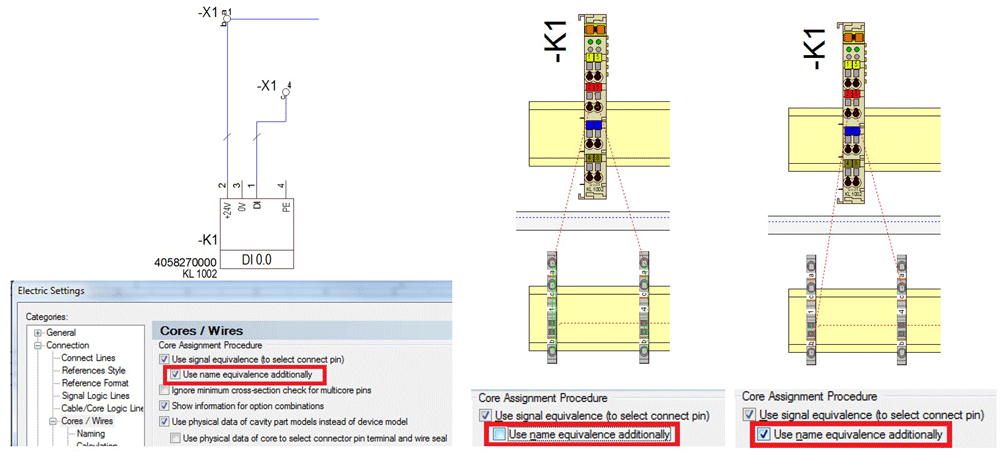
New setting for routing equivalence
The automatic routing of cables in E3.panel now also considers name equivalents in addition to equivalent symbols, so that wires can be connected precisely to their intended terminal.
E3.formboard
Other enhancement highlights include:
- Extended access to detailed information in electrical and fluid diagrams, cable plans and formboard drawings
- Further automation of the autorouting functionality for cabinet layout in E3.panel.
- Polish language support.

- Blog
August 27, 2026
E3.series Cloud Deployment: 4 Best Practices for Better Performance
e3-series, Electrical & Wire Harness, CAD, Cloud Deployment, E3.series, Electrical Design, Electrical Engineering, Engineering Data Management, IT Infrastructure, Multi-User Engineering, Remote Desktop, Blog

- Blog
August 20, 2026
Phased Array PCB Design: Beamforming and Engineering Considerations
cr-8000, Electronic, PCB Design, Antenna Design, Beamforming, Controlled Impedance, CR-8000, Design Reuse, PCB design, Phased Array, Power Integrity, RF Design, Signal Integrity, Thermal Management, Blog
- Webinar
August 17, 2026
Managing Configurable Harness Designs with Modification Kits in E3.series
Webinar, Zuken USA, E3.series Release 2025, Control Panel Manufacturing Software
Wednesday, September 9, 2026 - 2:00 pm
- Blog
August 13, 2026
Tech Tip: Customizing E3.series Environment with Custom Scripts
Electrical & Wire Harness, How to..., Tech-Tips, Custom Scripts, E3.series Tech Tip, Tech Tips, Blog
JUN 1, 2027
ECTC
Denver, CO / Gaylord Rockies Resort & Convention Center, Denver, Colorado, United States (US)
VISIT

- Blog
August 06, 2026
CSDL and SysML: Making MBSE Easier to Understand and Use
Digital Engineering, GENESYS, MBSE, CSDL, GENESYS, MBSE, Sidekick, SysML, Systems Engineering, Blog
- Blog
July 30, 2026
What Is a PLC Control System? A Guide to the Basics
e3-series, Electrical, Electrical & Wire Harness, Control Panel Design, control panel manufacturing, Control Systems, E3.panel, E3.series, Education, Electrical Design, Electrical Documentation, Electrical Engineering, Industrial Automation, Industrial Controls, Panel design, PLC, PLC Programming, PLCBridge, Programmable Logic Controller, Blog

- Solutions
July 28, 2026
MBSE vs. Digital Engineering
Digital Engineering, Behavior Modeling in MBSE, GENESYS, Digital Thread, Model-Based Wire Harness Design