
Tech Tip: How to Import DXF Data into CR-8000 Design Gateway Symbol Editor
Menu
Follow the steps below to learn how to import DXF data into a Design Gateway symbol:
- Create an empty symbol file in your library using the CR-8000 Engineering Desktop to import DXF data.
- Close the target symbol.
- Browse to the folder where the target symbol is stored.
- Select a symbol in the folder; any symbol can be selected at this point. Right-click and in the assist menu and select Tool > Data Import > DXF Import
- Browse to select the DXF file and then browse to select the target path and symbol.
- There are some options to set scale, and precision and so on. Once you have made the appropriate settings, select Execute
- Open the symbol and review the results.
- Copy and paste this graphic into your drawing format.
Watch the video below for step by step instructions.

-
Director of Customer Support

Sandy Jones is a Director of Customer Support ensuring customers are well taken care of by guiding her team to achieve support excellence. Her work focuses on improving customer support procedures through regular communication along with managing training activities and materials. In her free time, she enjoys repurposing old barn wood windows by painting images on the glass.

- Blog
October 22, 2026
Why System-Level PCB Design Matters for Multi-Board Products
cr-8000, Electronic, PCB Design, CR-8000, CR-8000 System Planner, Design Verification, ECAD-MCAD Integration, Multi-Board Design, PCB design, pcb layout, System-Level Design, Blog
- Blog
September 10, 2026
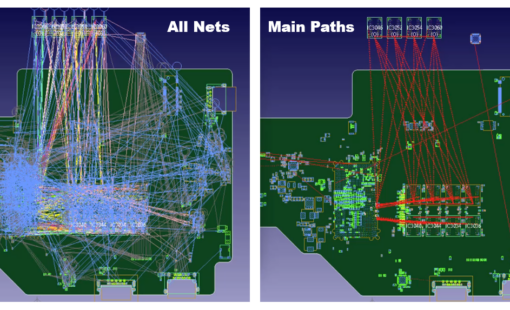
Tech Tip: PCB Net Visualization with CR-8000’s Main Path View
cr-8000, Tech-Tips, CR-8000, CR-8000 Tech Tip, Net Visualization, Path View, Tech Tip, Blog

- Blog
August 20, 2026
Phased Array PCB Design: Beamforming and Engineering Considerations
cr-8000, Electronic, PCB Design, Antenna Design, Beamforming, Controlled Impedance, CR-8000, Design Reuse, PCB design, Phased Array, Power Integrity, RF Design, Signal Integrity, Thermal Management, Blog
- Blog
July 16, 2026
Tech Tip: Check PCB Trace Resistance with Ohmic Distance in CR-8000
cr-8000, Electronic, PCB Design, Tech-Tips, Constraint Management, CR-8000, CR-8000 Design Force, CR-8000 Tech Tips, Design Verification, High-Current PCB Design, Ohmic Distance, PCB design, PCB Engineering, pcb layout, PCB Trace Resistance, Power Integrity, Signal Integrity, Tech Tips, Blog
Related Products and Resources
- Products
October 01, 2018
Design Gateway
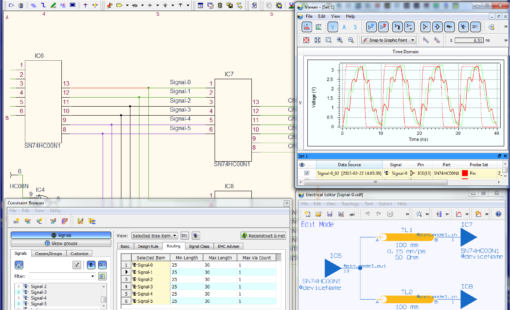
PCB Design Creation - Design Gateway is a platform for logical circuit design and verification of single and multi-board system-level electronic designs. It supports a true system-level circuit design in which individual circuits can be represented and connected as blocks.
Read now
System Level Circuit Engineering

- Products
September 26, 2018
CR-8000
Building a competitive product today is much more difficult than a few years ago. Existing PCB-centric design processes are limited to a single PCB and do not provide the necessary tools for today’s competitive product development environment. PCB-centric design processes are falling behind.
Read now
Advanced multi-board PCB design software