
What’s New in E3.series 2018
Test Drive


Cable Design Software Evaluation
The latest release of Zuken’s electrical and fluid engineering solution, E3.series 2018, addresses the challenge of growing complexity within today’s products and processes.
Key enhancements lie in the areas of topology planning, modularity support and variant handling, which are designed to support the requirements of manufacturing companies pursuing modular product strategies to control complexity.
Evaluate Zuken Software
Start Your Test Drive Today

- Test Drive
June 20, 2019
Cable Design Software Evaluation
Test Drive, Zuken USA
Test Drive E3.cable

- Test Drive
June 21, 2019
Electrical Cabinet Design Software Evaluation
Test Drive, Zuken USA
Test Drive E3.panel

- Test Drive
June 21, 2019
Wire Harness Manufacturing Software Evaluation
Test Drive, Zuken USA
Test Drive Harness Builder for E3.series
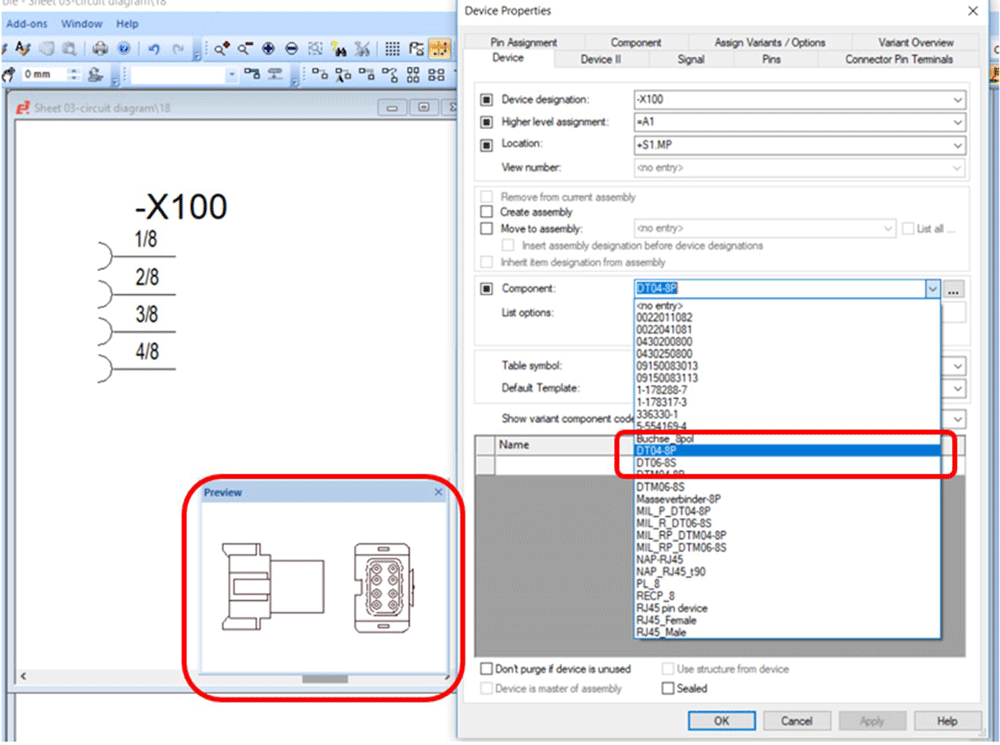
Display of component preview symbol
Access to device properties and connection details in schematic, cable plan and formboard drawings has been enhanced to support the requirements of advanced users. A preview symbol is now displayed automatically when selecting a component in the device tree.
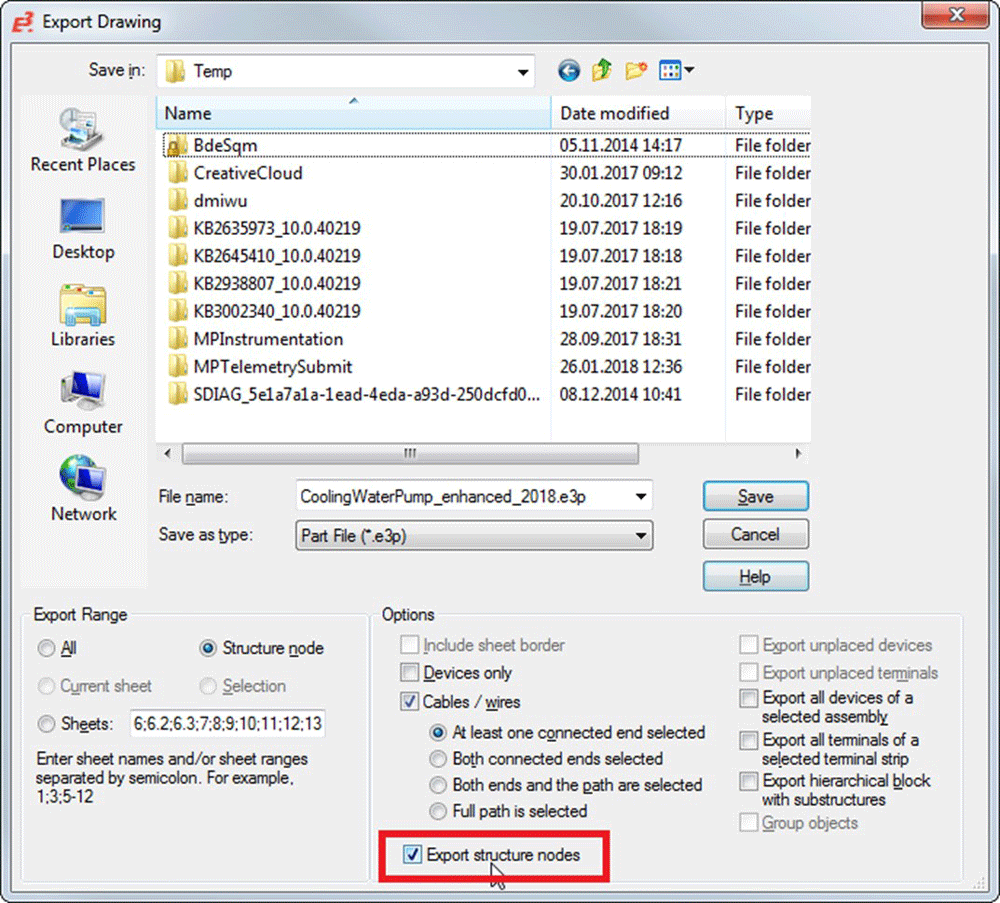
Export/import structure node assignment for sub-circuits
Sub-circuits can be imported and exported, together with their node assignments and attributes. Attributes of all related nodes can be exported automatically, maintaining their inheritance properties, reducing manual effort, and creating the prerequisites to automatically generate projects with configuration tools.
E3.cable / E3.fluid
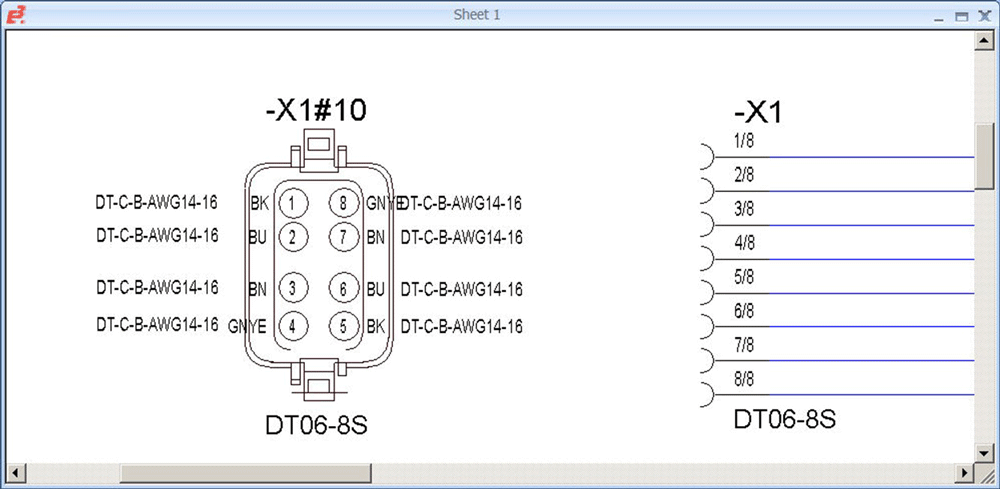
Display attributes in view symbols and formboard tables
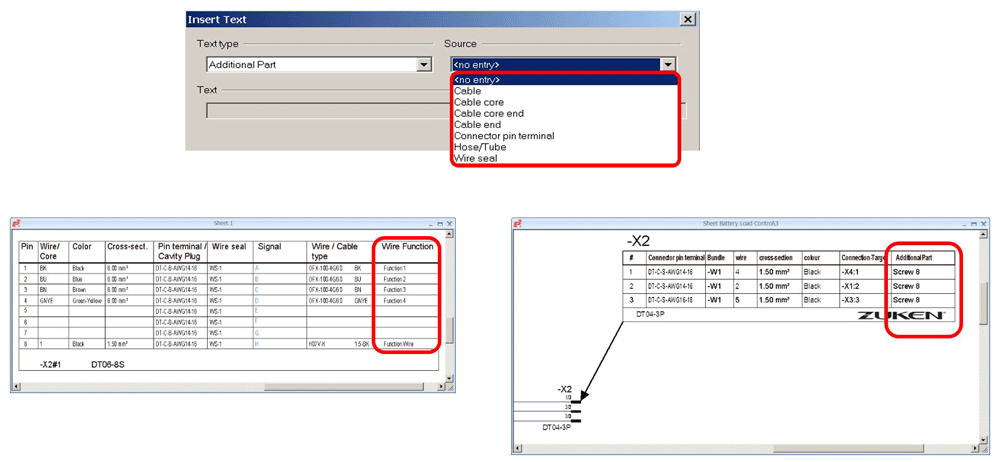
Connection attributes, conductor attributes, cable attributes and hose/tube attributes can be displayed in view symbols and formboard tables.
Texts and attributes are assigned in the Data Base Editor (DBE).
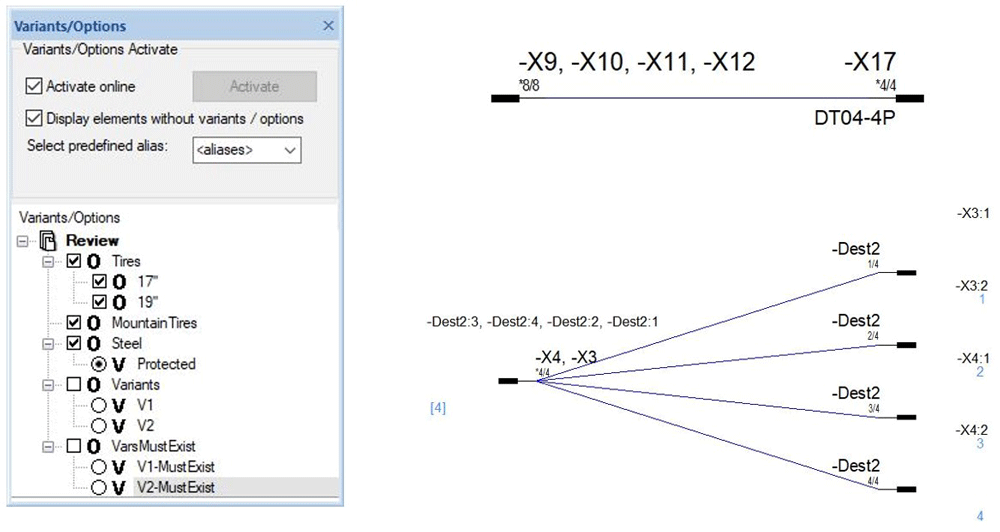
Display multiple connectors with variants and options using one symbol
The management of circuit variants and options has been extended with the ability to display multiple connectors with different variants and options in a single symbol. The related text, connection targets, and wires placed on the connection line are displayed automatically, as variants or options are activated in the feature tree.
E3.topology
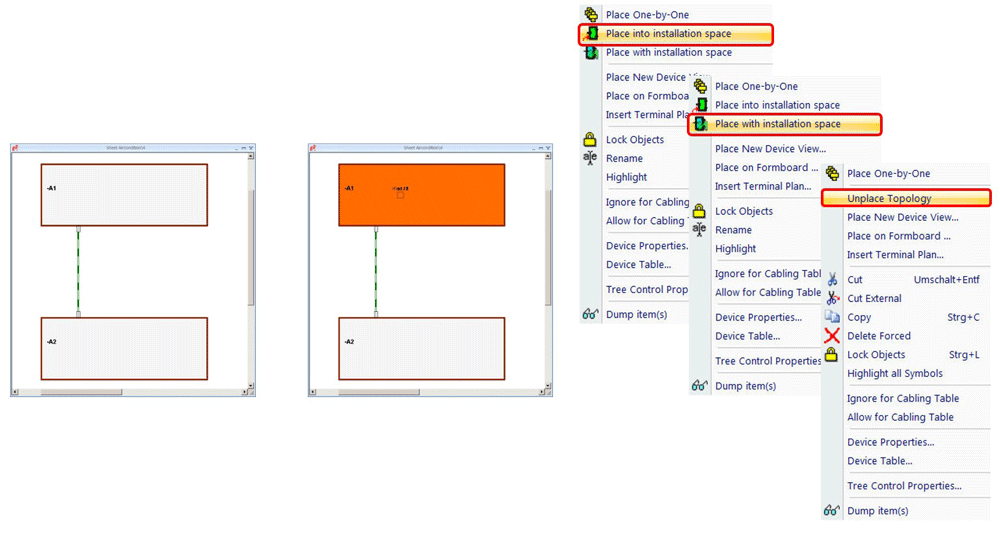
Place all unplaced components simultaneously
Topology planning in E3.series has been enhanced to support loading and connecting of installation spaces to open connections. Unplaced components can be placed either into an installation space or together with an installation space.
E3.panel
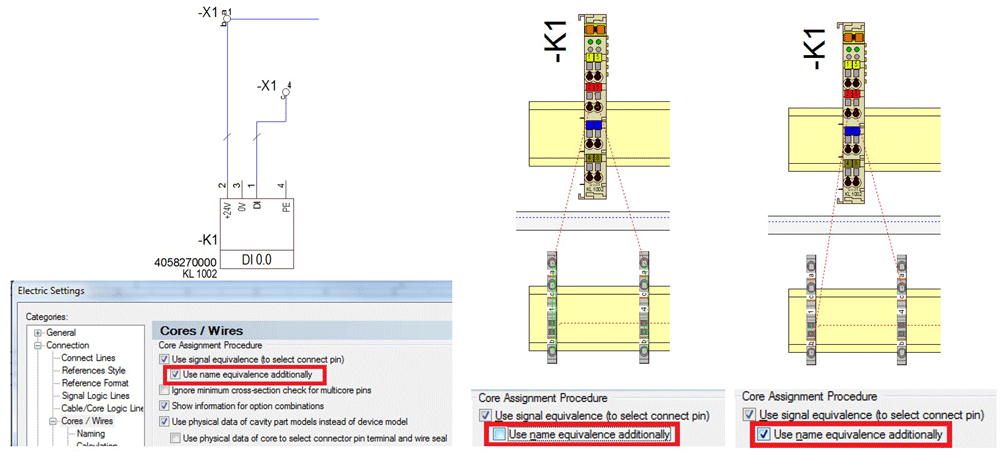
New setting for routing equivalence
The automatic routing of cables in E3.panel now also considers name equivalents in addition to equivalent symbols, so that wires can be connected precisely to their intended terminal.
E3.formboard
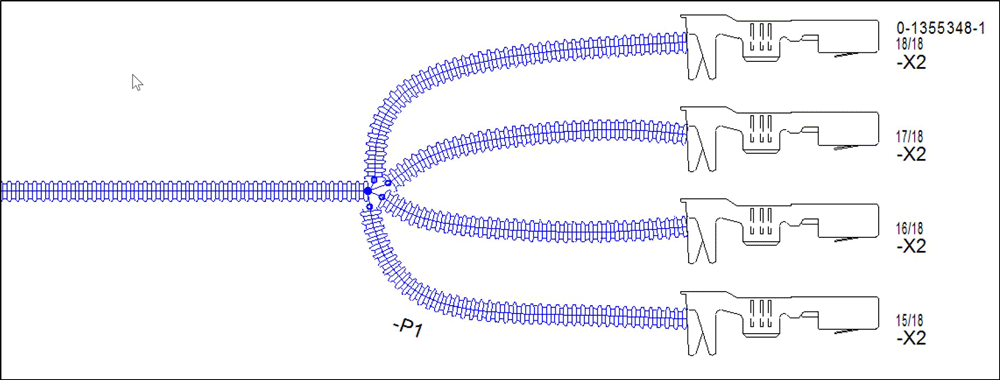
Other enhancement highlights include:
- Extended access to detailed information in electrical and fluid diagrams, cable plans and formboard drawings
- Further automation of the autorouting functionality for cabinet layout in E3.panel.
- Polish language support.
- Webinar
October 15, 2026
E3.series API Scripting with Python: Moving Beyond VBScript
Webinar, Zuken USA, Control Panel Manufacturing Software, What’s New in E3.series 2027

- Blog
October 15, 2026
E3.series Software Onboarding: How Zuken Helps Teams Get Started
e3-series, Electrical & Wire Harness, Customer Success, E3.series, ECAD, Electrical Design, Electrical Engineering, Engineering Software, Software Implementation, training, Blog
- Blog
October 08, 2026
Tech Tip: Automated Cable Protection Placement with Harness Builder for E3.series
e3-series, Electrical & Wire Harness, Tech-Tips, E3.series, E3.series Tech Tip, Harness Builder for E3.series, Blog

OCT 20, 2026
Weidmuller WPS Days
Richmond, VA / Weidmuller, USA,
VISIT
- Blog
October 01, 2026
Implementing STRATA MBSE Methodology: A Guide to Layered Systems Engineering
Digital Engineering, GENESYS, MBSE, CSDL, GENESYS, MBSE, Model-Based Systems Engineering (MBSE), Requirements, STRATA methodology, Systems Engineering, systems modeling, Tips and Tricks, traceability, Verification and Validation, Blog
- Press Release
September 29, 2026
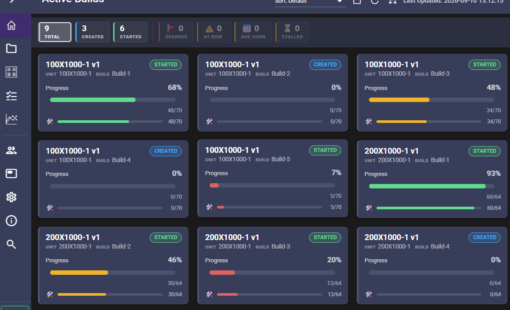
Zuken Adds Dashboard to Harness Builder 2027 for Wire Harness Production Tracking
Press Release, Zuken USA, Wire Harness Manufacturing Software, What’s New In Harness Builder 2027
- Blog
September 24, 2026
What E3.series 2027 Means for Different Engineering Teams
e3-series, Electrical & Wire Harness, E3.3DPanelBridge, E3.CloudView, E3.panel, E3.series 2027, ECAD Deployment, Electrical Design, Panel design, Blog