
Tech Tip: How to Set Up E3.series Database Configuration
Engineering data becomes harder to manage as projects and teams grow. Many organizations use database-driven design in E3.series to support standardization, automation, and scalable engineering workflows. Proper E3.series database configuration is one of the first steps to drive electrical design automation.
Why the E3.series Database Matters
The E3.series database centralizes parts, symbols, and attribute data across engineering projects. A structured database helps engineering teams maintain consistency and standardization throughout the design process, including:
- Consistent symbols across drawings and projects
- Consistent naming conventions for parts and components
- Attribute data for BOMs and reports
- Part relationship data to validate connector mating and wire sizing
- Component attributes for automated design rule checks
As projects grow in complexity, engineering teams rely on centralized databases to maintain design standards, reduce documentation errors, and support automation through structured part data.
Because it serves as the foundation for design automation in E3.series, teams must configure the database early in the implementation process.
Choosing the Right Database Configuration
Engineering teams should first determine which E3.series database configuration best fits their workflow and IT requirements. There are two primary decisions to consider: symbology needs and database platform.
Symbology Needs: Single vs. Multiple Standards
Most E3.series environments use a single-file database because the organization only requires one symbology standard. These environments typically use the same drawing sheets, symbol sizes, and graphical component representations across all projects.
However, some companies create designs for multiple regions or customers and require support for multiple symbology standards. Common examples include:
- Metric versus imperial grid spacing
- IEC versus ANSI symbol standards
- Customer-specific symbol requirements
Zuken refers to this flexibility as a multi-file database configuration, where multiple symbol libraries reference the same centralized component and attribute data.
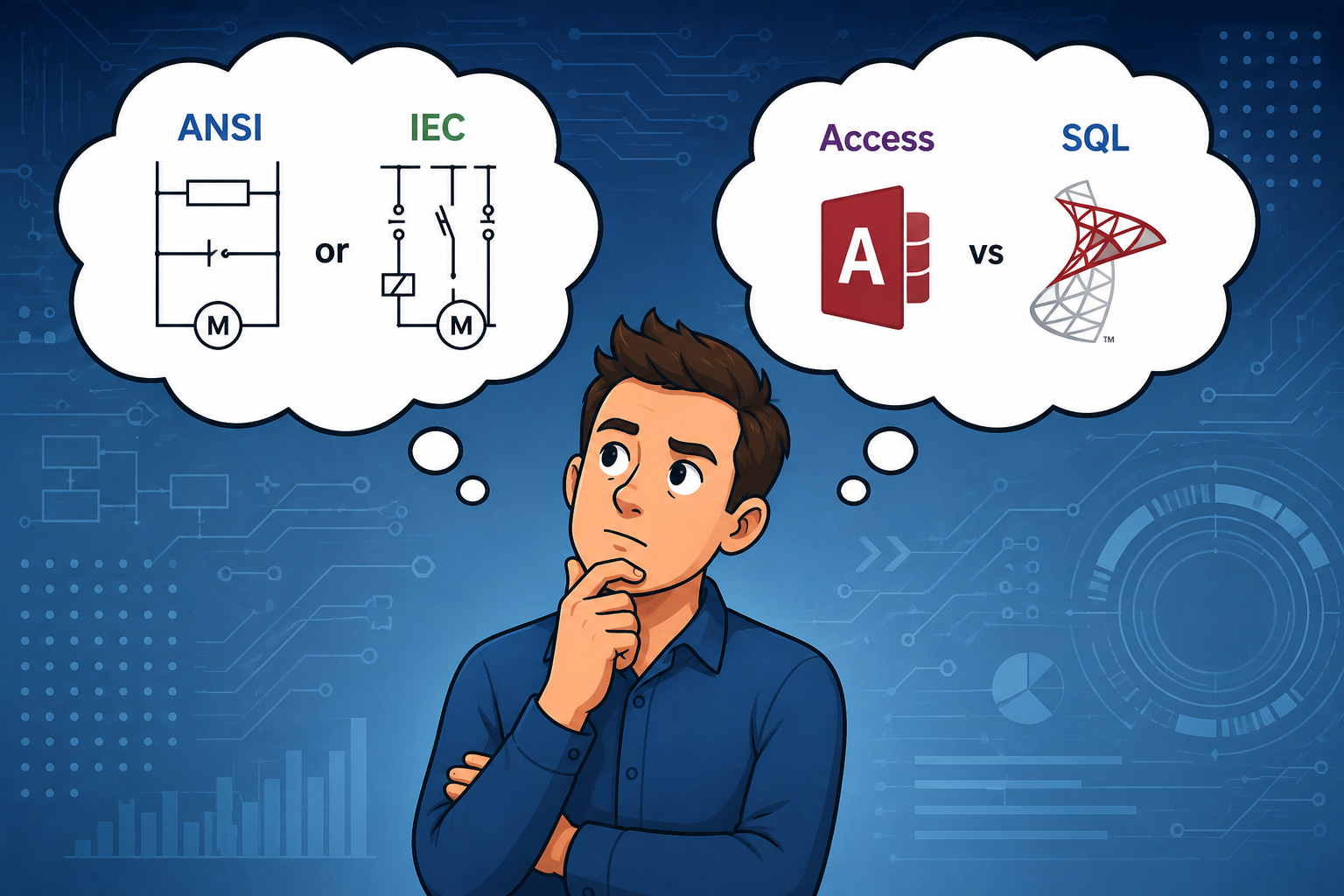
Database Platform: Access vs. SQL Server
E3.series supports both Microsoft Access and SQL Server databases. Organizations can choose the option that best fits their deployment size, performance requirements, and IT infrastructure.
Microsoft Access is commonly used by smaller engineering teams, standalone environments, or organizations looking for a simpler deployment process.
- Pro: Minimal configuration and IT needs
- Con: Slower performance when scaled to larger teams
SQL Server is generally preferred for larger engineering teams or enterprise deployments.
- Pro: Improved performance, scalability, and user management
- Con: Additional IT setup and database administration
E3.series also supports Oracle databases, which have similar scalability and IT considerations as SQL Server.
For many organizations, the decision comes down to balancing ease of deployment against long-term scalability and performance requirements.
Setting Up a New Database in E3.series
Before starting E3.series database configuration, engineering teams first need access to the database location. Depending on the deployment, this may include the file path to a Microsoft Access database or the server and connection information for a SQL Server database.
After obtaining the database location, the setup process in E3.series typically involves:
- Navigating to the database management menu
- Adding a new database connection
- Selecting the database type and structure
- Mapping the Access file path or SQL Server connection
- Assigning an internal database name within E3.series
- Saving and verifying the database connection
The following video demonstrates this workflow for both single-file and multi-file configurations:
After the database has been configured, E3.series makes it easy to switch between database connections. This approach allows engineering teams to maintain separate development, testing, and production databases while working within a consistent design environment.
Common Database Setup Tips
A few simple best practices can help streamline the database configuration process and avoid common setup issues within E3.series.
- Use descriptive library names, especially for customer or project-specific databases.
- Quickly access the database configuration menu from anywhere in the database tree.
- Remove quotation marks from Access file paths before mapping the database connection.
- Use the Test Connection button to validate the database connection before saving the configuration.
- Use the F5 key to refresh the database tree if a newly configured library does not appear immediately.
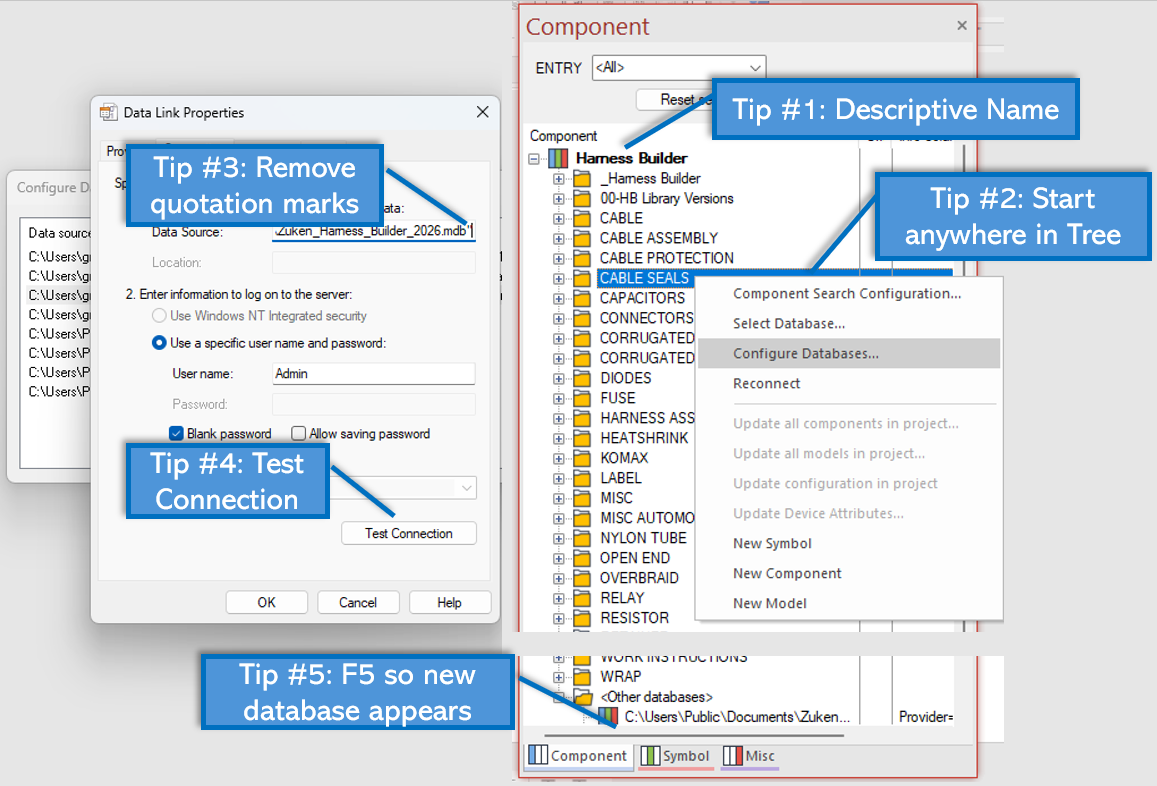
These recommendations can help simplify database configuration during implementation and deployment.
Who Needs to Know How to Configure an E3.series Database
IT Administrators
Configure and deploy centralized database environments during E3.series rollout.
CAD Librarians
Maintain sandbox libraries for validating new parts, symbols, and attribute data before distributing updates to production libraries.
Electrical Engineers
Connect to shared engineering libraries, switch between database environments, or maintain personal sandbox databases for development and testing.
Conclusion: E3.series Success Starts with Database Configuration
Proper E3.series database configuration helps engineering teams maintain centralized parts, symbols, and attribute data across projects and users. By selecting the appropriate database platform and symbology configuration, engineering teams can centralize parts, symbols, and attribute data while supporting consistent workflows across projects and users.
Whether deploying a simple standalone library or a multi-user enterprise database environment, E3.series provides the flexibility to support a wide range of engineering and implementation requirements.

-
Applications Engineer


- Blog

- Blog

- Blog

- Blog
Related Products and Resources

- Blog

- Blog

- Products