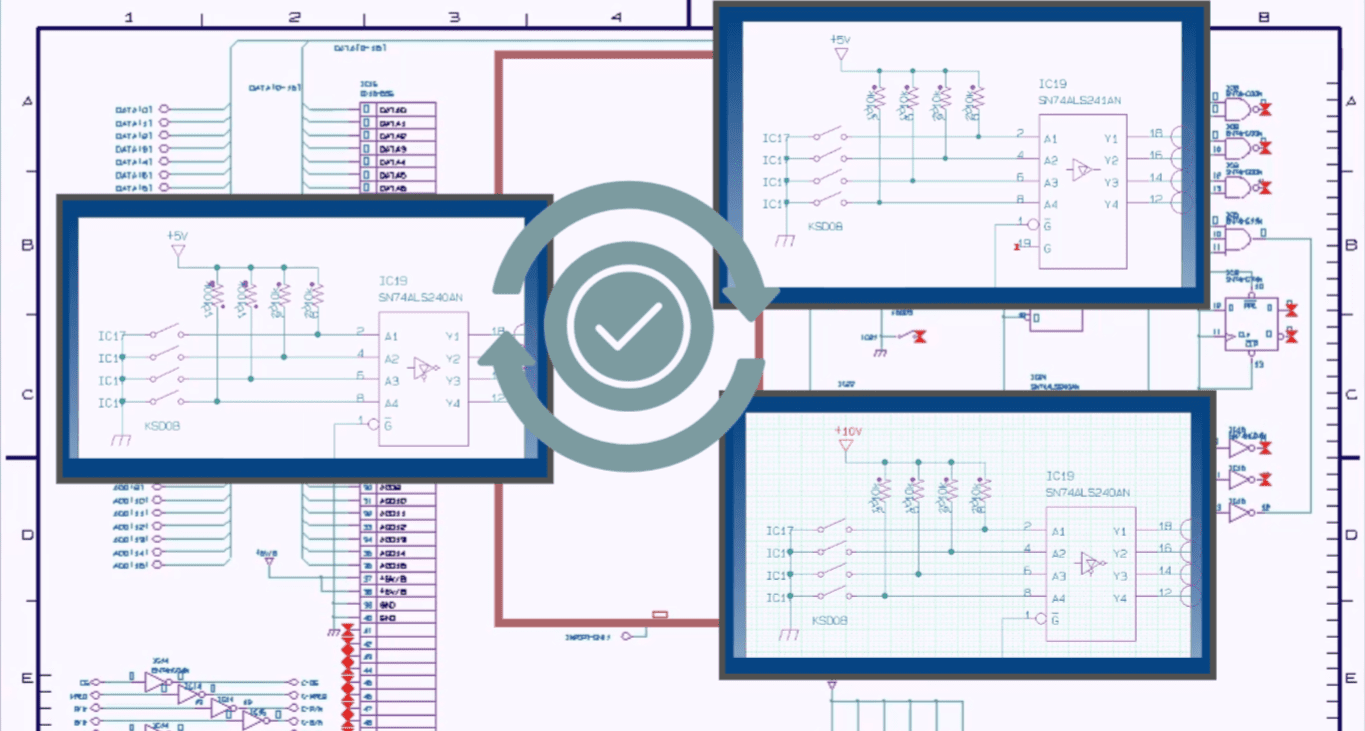
Tech Tip: Alternate Circuits in Schematic Blocks with CR-8000
Modern PCB design is anything but static. Requirements change. Components go obsolete, and markets demand customized versions. As a result, in this fast-moving environment, rigid design processes just don’t cut it.
CR-8000’s Alternative Circuit feature gives engineering teams the agility to manage variations intelligently—without duplicating schematics or risking errors. By enabling multiple circuit options within a single schematic block, you can adapt in seconds, not days.
Why Design Flexibility Matters
PCB engineers face constant shifts during development:
- Requirement changes like customer-requested protocol upgrades
- Supply chain volatility leading to part substitutions
- Market-driven variants such as “Pro” and “Lite” editions of a product
Traditionally, each of these meant copying schematics, managing multiple versions, and risking inconsistencies.
The Problem with Traditional Variant Management
Consequently, legacy methods introduce pain points:
- Disjointed projects: Core updates don’t sync across copies
- Scattered documentation: Fragmented BOMs and validation
- Connectivity issues: Manual rewiring increases risk
- Slow decisions: Comparing and updating designs becomes tedious
The solution? Intelligent schematic blocks with internal circuit flexibility.
What Is a Schematic Block?
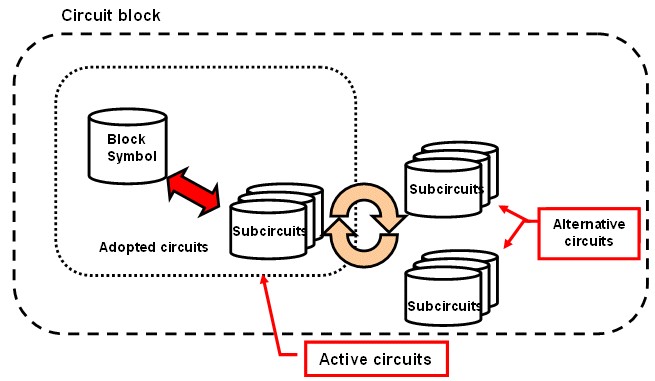
In CR-8000, a schematic block is a modular design unit with:
- Block Symbol: A visual representation on the top-level schematic
- External Interface: Stable I/O pins for predictable connectivity
- Internal Circuitry: The functional subcircuit, which can be made interchangeable
These blocks encapsulate complexity while ensuring reusability and clarity.
Introducing Alternative Circuits in CR-8000
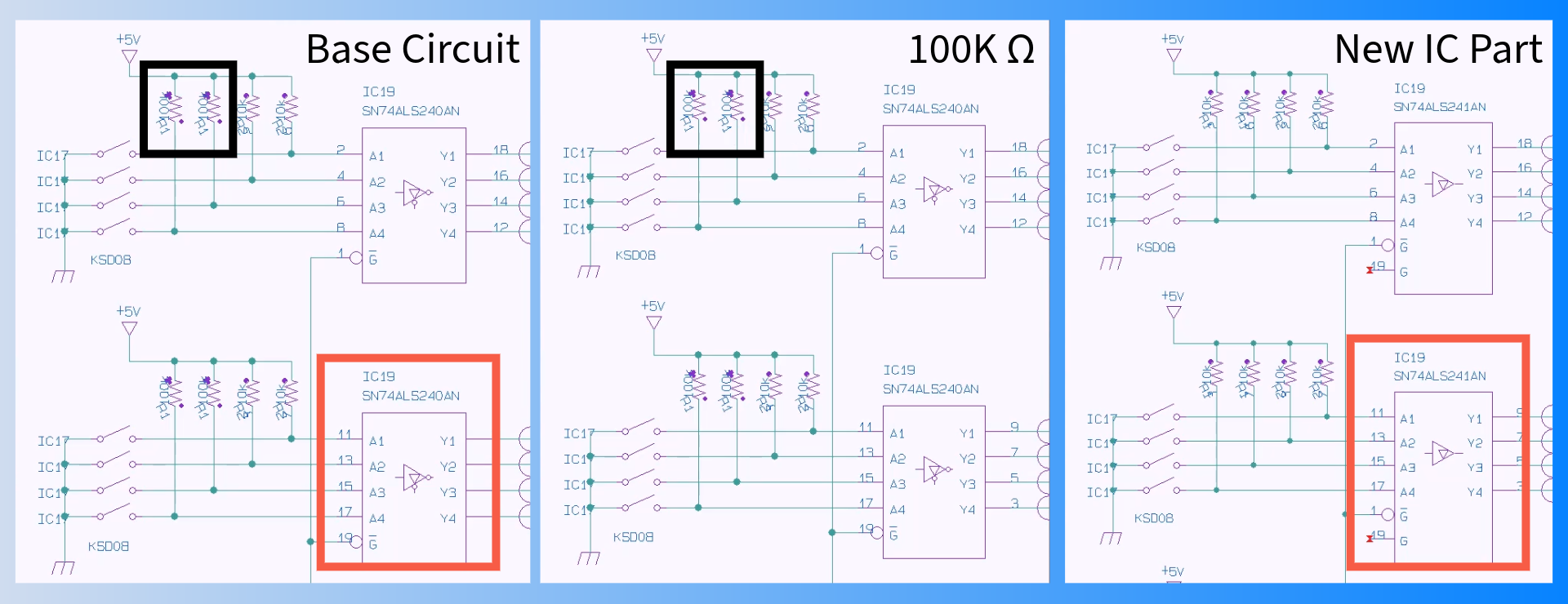
The Alternative Circuit feature allows engineers to define multiple internal circuit variants within a single schematic block. The block symbol and external interface stay fixed, while only the internal circuitry swaps.
This approach:
- Keeps the design clean
- Preserves connectivity
- Updates the BOM and netlist instantly
- Minimizes rework across the project
Real-World Use Cases
Scenario 1: Component Obsolescence
Old Way: Redraw and rewire when a part is unavailable
With CR-8000: Swap to a pre-validated backup circuit within seconds
Scenario 2: Regional Compliance
Need 110V for the US and 230V for Europe?
Use a single power entry block for both circuits and toggle the correct version per market—no schematic rewrites.
Scenario 3: Product Tiering
Offer “Pro” and “Entry-Level” variants with different internal components.
Define both within one block and generate targeted BOMs instantly.
Best Practices for Implementation
To make the most of Alternative Circuits:
- Define stable external interfaces before adding internals
- Choose logical block sizes (e.g., power modules, sensor front-ends)
- Use descriptive names like 3V3_LDO_TI or 3V3_Switching_AnalogDev
- Validate once, reuse many times across variants
See Alternative Circuits in Action
The video below explains:
- How circuit blocks use alternative circuits to easily swap subcircuits
- How to swap between alternative circuits
- How to define a new alternative circuit
Who Benefits?
PCB Design Engineers
Quickly compare and implement circuit options—without duplicating schematics.
Project Managers
Meet deadlines confidently with fast swap-outs for parts or requirements.
Procurement Teams
Get cost-effective alternatives without triggering redesigns or delays.
Downstream Impact: Layout and Manufacturing
CR-8000’s Design Gateway ensures that schematic changes flow cleanly into layout and manufacturing. When an alternative circuit is selected:
- Only the internal block layout changes
- The surrounding design remains untouched
- Rework is minimized, even late in the process
CR-8000 = Flexible, Error-Free Variant Management
In conclusion, with Design Gateway as your central design hub and Alternative Circuits powering your schematic blocks, you gain:
- Greater reliability: Interfaces are stable across all variants
- Design agility: Internal circuits can change without disruption
- Faster time-to-market: Adaptation becomes a non-issue
Explore CR-8000
Design Gateway Overview
Blog: Reusable Circuit Block Libraries

-
Applications Engineer

- Blog

- Blog

- Blog

- Blog