Tech Tip: Accurate Formboards with Segment Resize in Harness Builder
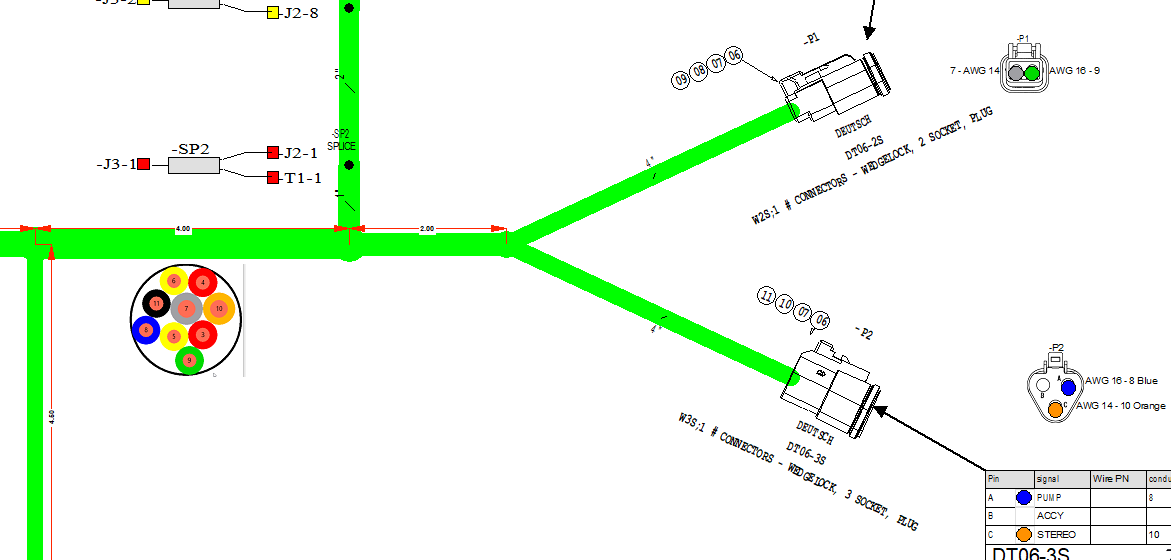
Accurate, scaled formboards reduce guesswork on the shop floor. Segment Resize helps you visualize each harness bundle’s diameter right on the drawing, turning calculated data into clear
visuals that teams can trust. With improved, automated documentation, engineers spend less time on manual callouts, and technicians build with greater confidence.
Why Accurately Scaled Formboards Matter
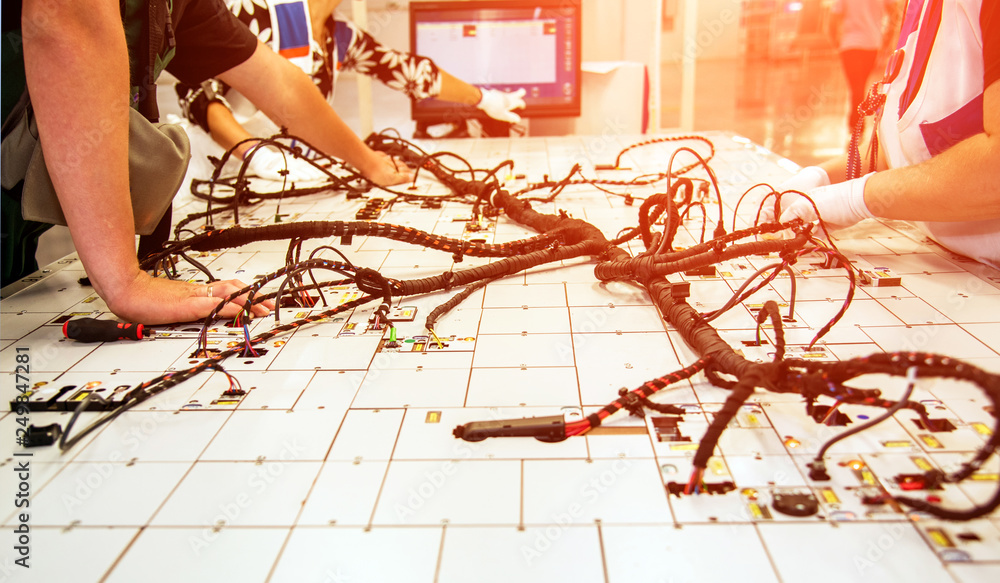
Formboards are scaled drawings that guide technicians as they build the harness. An accurate scale gives builders confidence as they lay wires on top of the drawing. When drawings lack accurate bundle sizes, technicians miss a key detail, leading to routing errors, delays, and rework.
Key reasons scale matters:
- Technicians compare the harness directly to the print.
- A correct scale improves build accuracy.
- Intuitive, quick verification for new or rotating technicians.
- Easy selection of formboard fixtures.
Bundle Diameter Calculation with E3.series
E3.series has calculated bundle diameters for many years. Electrical engineers rely on this data in their workflows to support decisions throughout design and manufacturing.
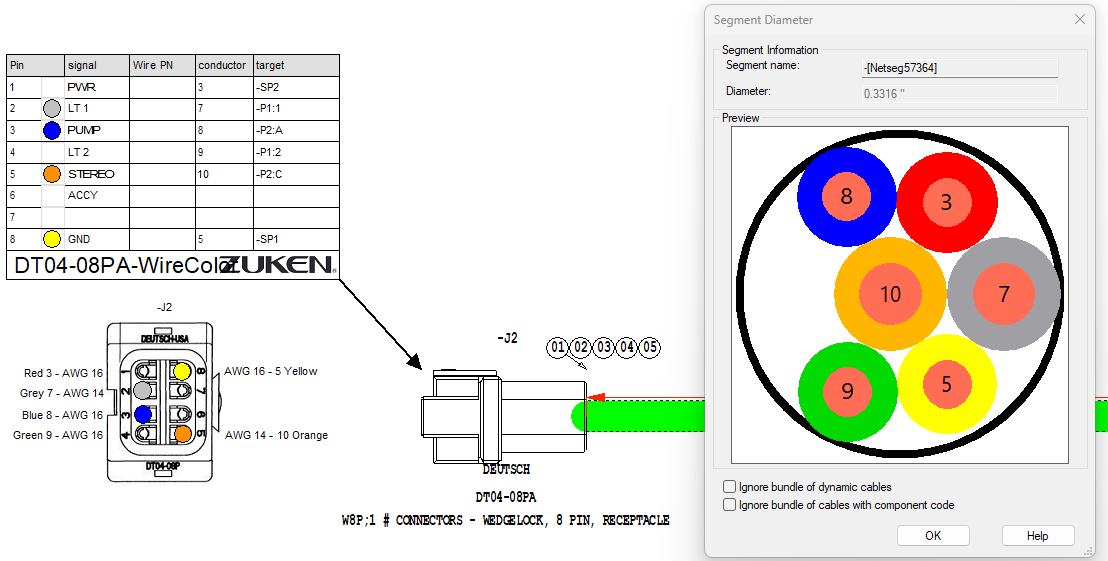
Engineers use bundle diameter data for:
- Automatic part sizing for sleeving and labeling
- Bend‑radius and slack calculations during early design.
- Exporting diameters to 3D tools for mechanical routing.
However, bundle diameter information has always been hidden behind a dialog box. This forced the addition of extra annotations, screenshots, or manual callouts, which quickly went out of date as the design evolved.
Introducing Segment Resize in Harness Builder 2026
Harness Builder 2026 introduced a new feature: Segment Resize. This feature brings bundle-diameter data directly into the drawing by adjusting each segment’s thickness to match its calculated size. The result is a visual representation that reflects the real harness.
The visualization can update automatically as wiring changes or be triggered manually when needed, giving engineering consistent, scale-accurate drawings with minimal effort.
See Segment Resize in Action
See how Segment Resize works in practice by watching the short demo below.
Best Practices
- Keep Segment Resize set to automatic while designing the formboard. This ensures segment sizes stay accurate as the harness develops.
- Disable Segment Resize when working on schematics. Each connection line represents only one wire, so resizing adds no value there.
- Access settings directly from the Harness Builder menu. This makes it easy to switch modes as your context changes.
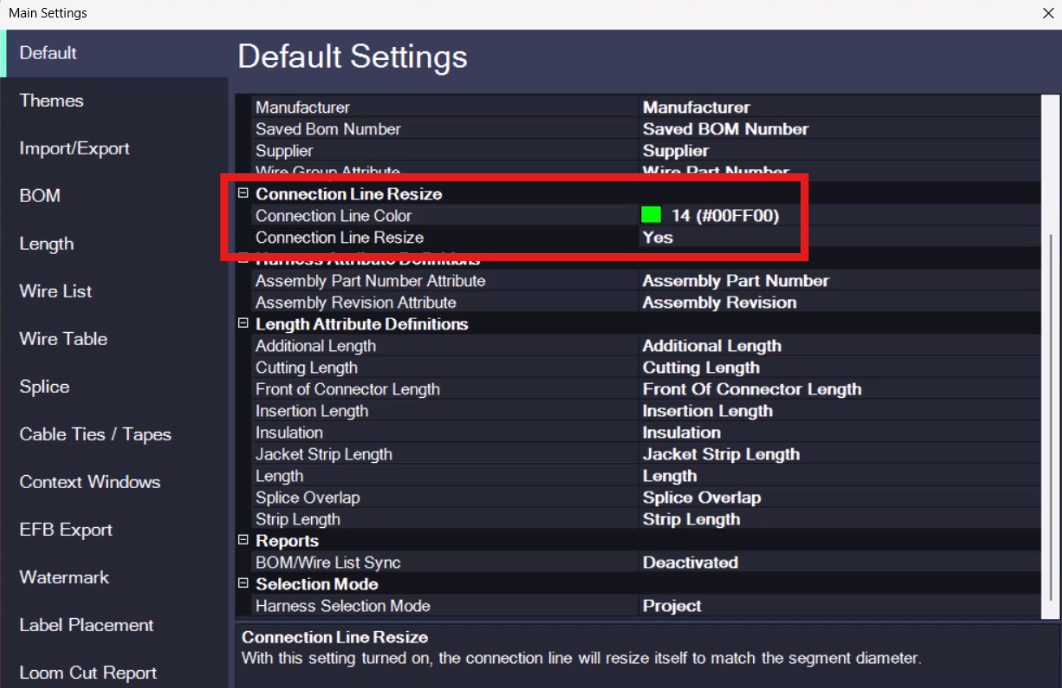
- Make sure you are running the latest version of Harness Builder. Segment Resize is only available starting in the 2026 releases.
- Let your manufacturing team know that drawings now display bundle thickness at true scale. This helps them trust the visuals and improves assembly accuracy.
Who Benefits
Harness engineers
Reduce manual effort to produce documentation while aligning visuals with the actual design.
Manufacturing teams
Build from prints that reflect true bundle size, reducing errors and improving overall assembly confidence
Harness Builder = Connected Manufacturing Software for Accurate Builds
Segment Resize solves a major visibility gap by bringing bundle‑diameter data directly onto the drawing. With scaled segment thickness, both engineering and manufacturing can trust that formboards show the harness the way it should be built.
Harness Builder for E3.series is purpose‑built for wire‑harness manufacturing. It streamlines documentation, improves formboard accuracy, and strengthens the connection between engineering intent and shop‑floor execution.
Next steps:
- New to Zuken? Explore: Harness Builder product page
- More new features: What’s new in Harness Builder 2026
- Learn more: Tech Tip: Creating custom settings profiles in Harness Builder
- Read: How to Reduce Harness Manufacturing Costs

-
Applications Engineer

- Blog

- Blog
- Blog

- Blog
Related Products and Resources

- Blog
- Blog

- Blog
- Pages