
Control Panel Design Software for Manufacturing: Why Visualization Matters
Control panel teams need to move fast without increasing errors, rework, or production delays. That’s hard to do when design intent gets lost between engineering and the shop floor. A drawing may look complete, but when manufacturing teams must interpret unclear layouts or missing details, mistakes happen.
Control panel design software for manufacturing helps teams move beyond static drawings and work with connected design data, clearer visual models, and outputs that support production. The result is better accuracy, smoother handoffs, and faster panel assembly.
Why visualization matters in control panel design
Demand for control panels continues to rise, creating pressure to deliver higher volumes, faster turnaround times, and error-free designs. Because these cabinets are often customized by application, nonrecurring engineering is common. In this environment, visualization is not just a nice extra; it helps engineers to make better decisions earlier and provides manufacturers with more guidance during assembly.
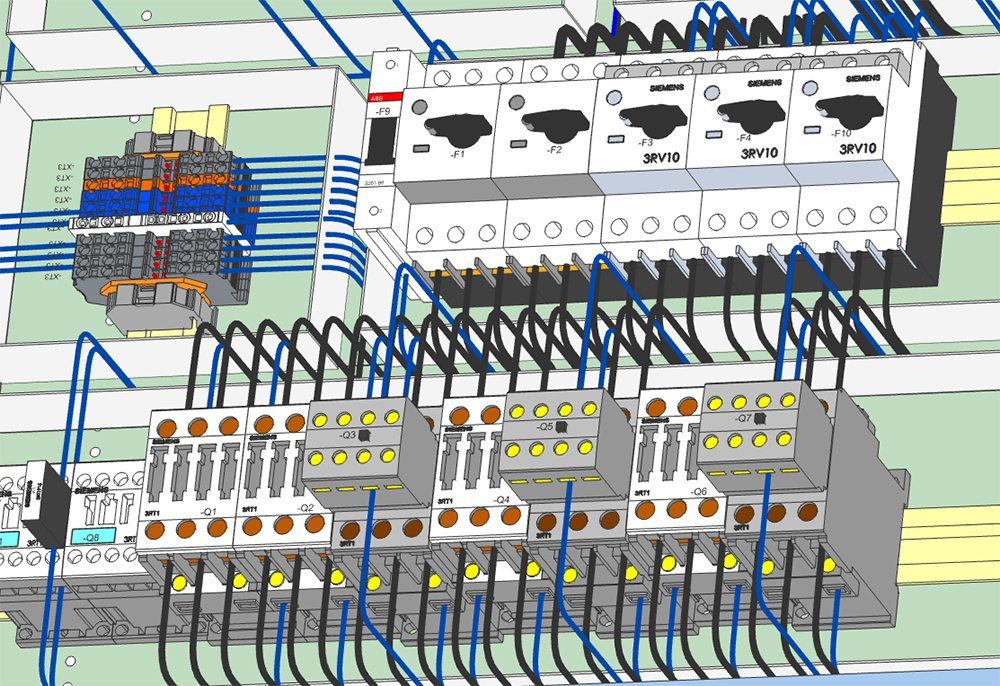
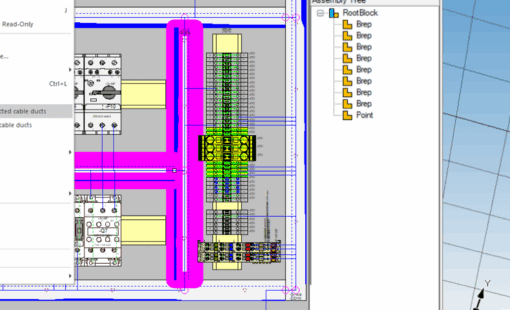
A visual design environment helps engineers spot potential problems during modeling rather than discovering them during production. Common panel design errors include placement collisions, overfilled cable ducts, clearance issues, or component mismatches. These errors can’t be caught on a schematic alone. By working in a visual context, engineers can resolve these issues before they impact the production floor.
How control panel design software for manufacturing improves production
Visualization is important for manufacturing, not just engineering. Manufacturing teams traditionally rely on paper documentation to turn design intent into a physical panel. These artifacts include schematic diagrams, 2D layout projections, and data tables. Interpreting these various documents requires training and expertise, and can still lead to misinterpretation and manufacturing errors.
Digital visualization changes how manufacturing teams interact with that information. With control panel design software for manufacturing, technicians reference the actual data model. They can zoom and rotate into specific areas, trace wire routes, and access detailed component information in context. This provides more information than paper can reasonably convey, reducing the time technicians spend interpreting it.
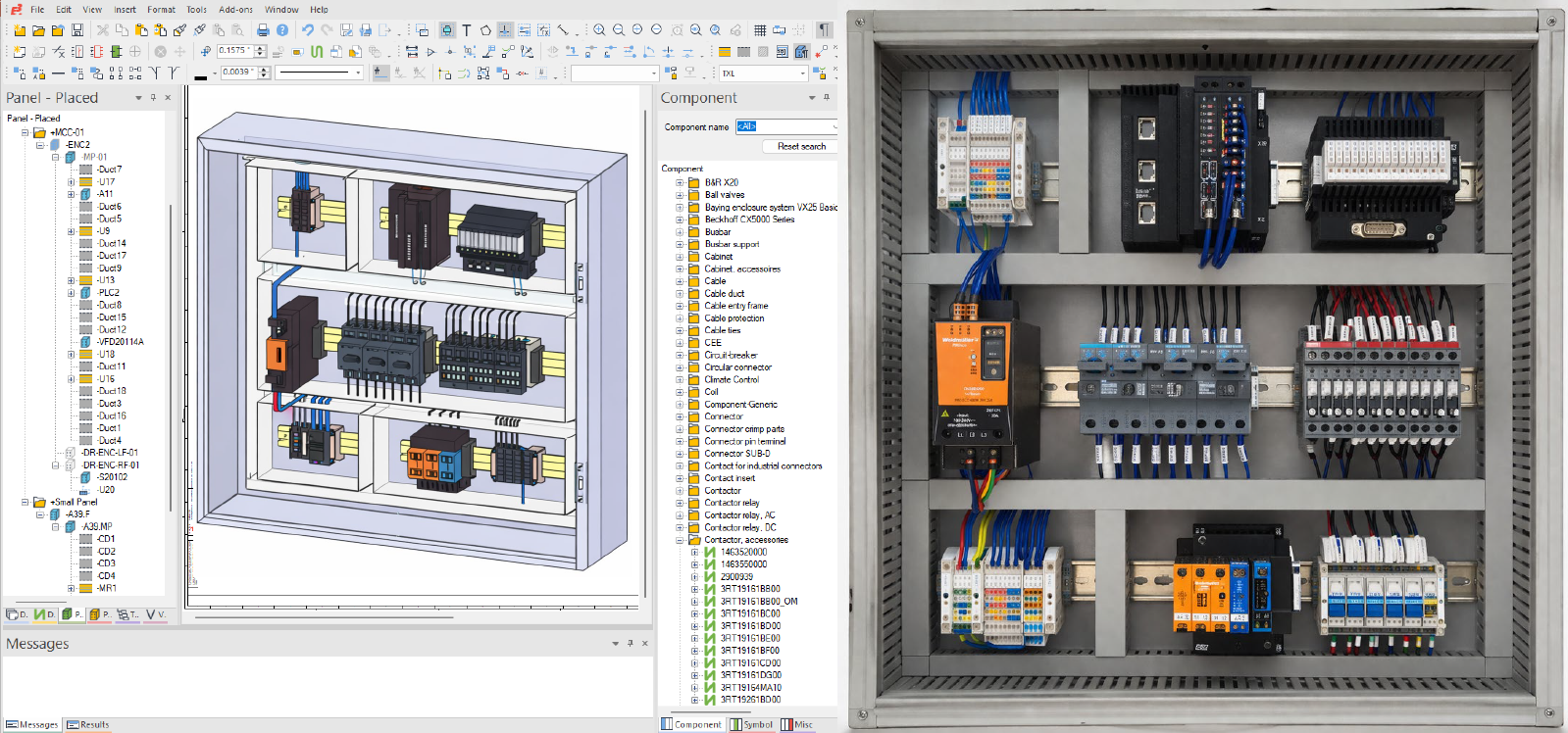
The result is a more efficient and predictable assembly process.
- Technicians work with greater confidence, supported by clearer guidance and richer detail
- Engineers field fewer clarification questions because technicians can access the full data set from any angle
By replacing interpretation with direct visualization, manufacturers can improve build accuracy and keep projects moving on schedule.
Connecting design data to the shop floor with E3.series
E3.series connects engineering and manufacturing by giving production teams direct access to the design data. With a read-only viewer, technicians and manufacturing engineers can visualize panel layouts, wiring, and component details directly from the source model without a full design license. Redlining tools capture feedback digitally, aligning communication with the design rather than relying on paper markups.
This same data drives digital work instructions that guide assembly tasks step by step. Assembly Task Manager and Wiring Task Manager provide visual, interactive guidance, showing exactly how components are placed and how wires are routed. Instead of interpreting drawings, technicians can follow a structured, assisted manufacturing workflow tied directly to the design.
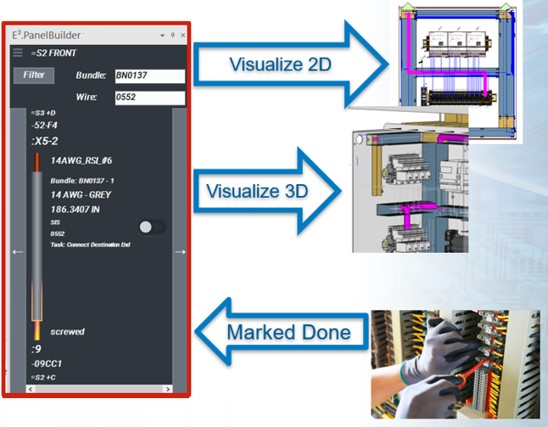
The same data also drives automated manufacturing processes. Outputs from E3.series support enclosure machining and wire processing equipment for cutting, terminating, and labeling. This eliminates manual data translation, enabling machines to be programmed instantly and run far faster than any manual process.
Reducing rework through digital continuity
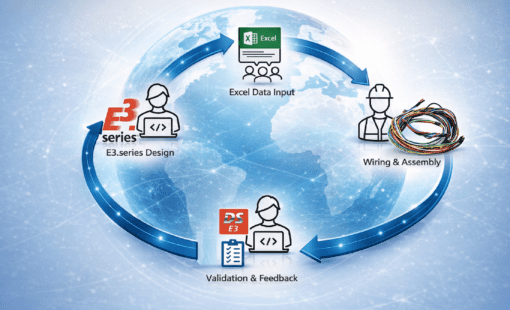
One of the biggest advantages of control panel design software is digital continuity. Design data stays connected from concept through delivery, allowing engineering, procurement, quoting, production planning, and technicians to all work from a single source of truth.
This ensures all stakeholders are aligned to the same version, with changes tracked across revisions and build progress logged in a centralized system. This visibility improves coordination across teams and helps prevent rework caused by misaligned or outdated information.
Conclusion
Visualization is no longer just helpful in panel design. It is a practical part of a better engineering and manufacturing process. When teams use control panel design software, they can improve accuracy, reduce manual effort, and create a smoother path from design to assembly.
For companies looking to reduce rework and improve delivery performance, the goal is not simply to create better drawings. It is to connect design data to manufacturing to support faster, more reliable production.
Want to reduce rework and improve panel build accuracy? Request a demo to see how E3.series connects control panel design to manufacturing.
Related
-
- Watch: Webinar on Digitalization to the Panel Shop Floor
- Read: Blog post on Digital Transformation of Shop Floor Automation
- Visit: Product pages for software for panel design and panel manufacturing

-
Application Engineer

- Blog
- Blog

- Blog
- Blog
Related Products and Resources
- Blog
- Blog
- Blog
- Blog