What’s New in E3.series 2026 for Electrical Design
The 2026 release of E3.series introduces over 70 enhancements designed to help you design faster, reuse intelligently, and collaborate clearly. As product complexity continues to rise and timelines tighten, these updates focus on reducing clicks, improving performance, and capturing more data for design reuse.
Design Faster
Every second counts when you’re under pressure to meet deadlines. That’s why E3.series 2026 introduces several quality-of-life improvements that streamline your workflow:
Search and Replace
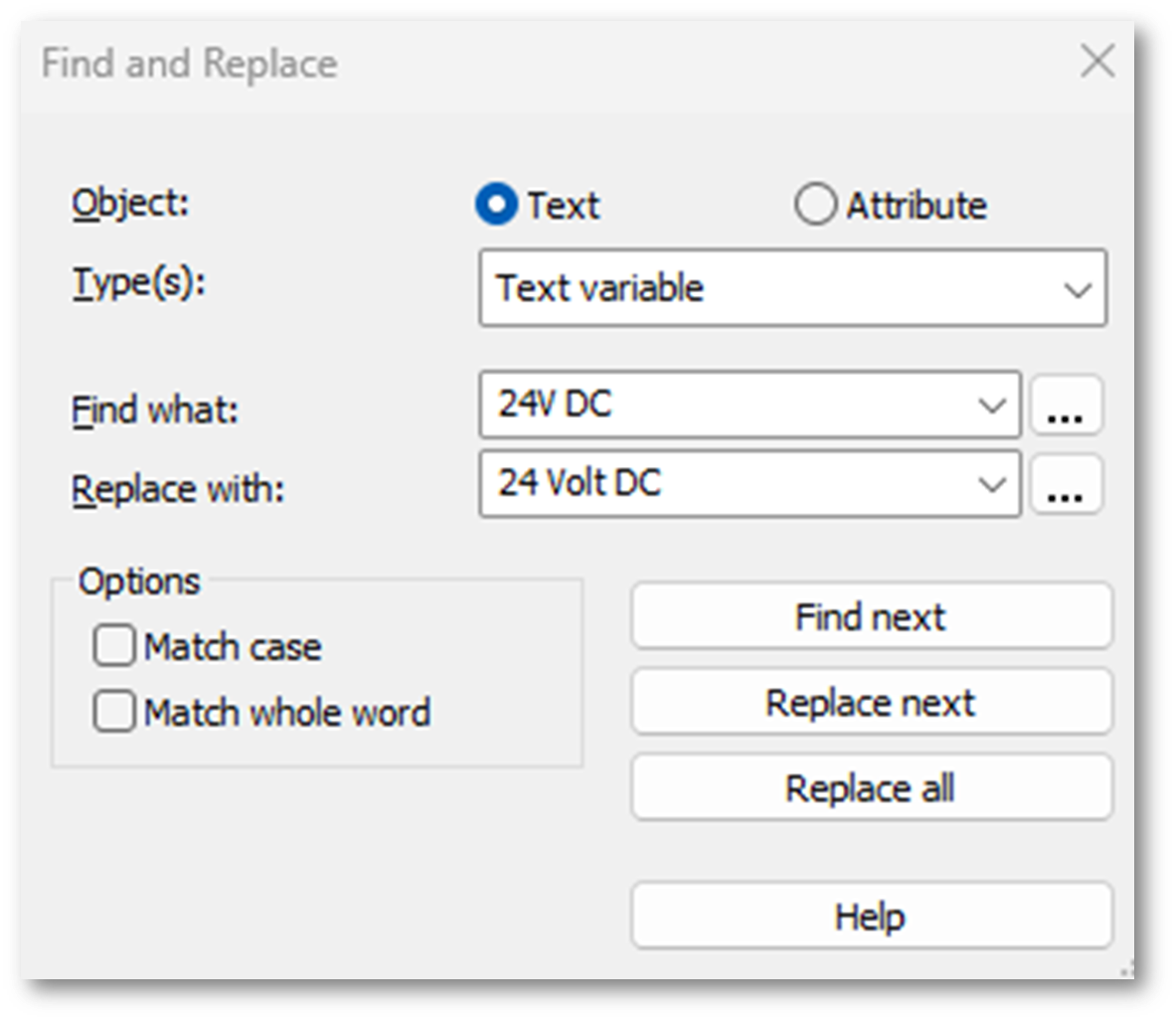
With the new Search and Replace feature, you can quickly find and replace text or attribute values across your project. In addition, results now appear in a jumpable Results window, so you can verify changes instantly.
Search and Jump to Component tree
You can now search for attribute text beyond the project. This means you can easily locate attributes within the component tree, reducing time spent hunting for parts.
Edit Attribute via Dimension Line
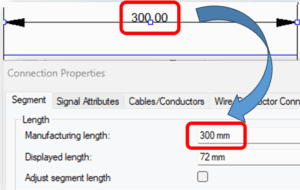
Instead of navigating through menus, you can update values directly on the sheet by clicking the dimension text and pressing F2. As a result, on-sheet text stays synchronized with attribute data, ensuring accuracy through your design.
Intelligent Reuse
Reusing design data efficiently saves both time and effort. The 2026 release of E3.series adds tools that make reuse more intuitive and reduce manual data entry.
Default Signals on Components
You can now assign signal names in the component database for standard devices, connectors, and terminals. Consequently, common signal names (like power or ground) are applied automatically when placing components in a project. This results in faster schematic creation while improving consistency across projects.
Pin Attributes on Block Components
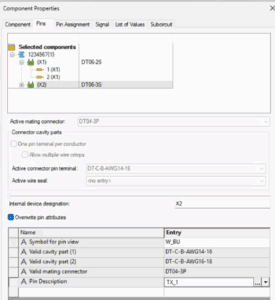
Now, you can define block-specific pin attributes, such as local signal names or pin descriptions, without altering the base connector part. Because these definitions are stored independently, they can be reused across multiple projects.
Ease-of-Use Enhancements
Beyond speed, usability has also taken a major step forward. These updates focus on performance visibility and responsiveness.
Performance Boost for Variants and Options
Activating or deactivating variants is now significantly faster, making configurable projects easier to manage. Customer benchmarks show a reduction in loading time by 40% to 93%, depending on hardware and selection size. Therefore, engineers can spend less time waiting and more time designing.
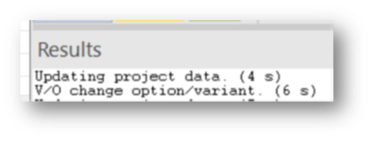
Display Used Time in Results Window
New progress bars and time breakdowns now provide real-time feedback to users during large project loads, reducing frustration and helping IT teams diagnose bottlenecks. Whether you’re loading multiuser projects or activating/deactivating variants and options, you’ll always know what’s happening behind the scenes.
Ready to Experience E3.series 2026?
The latest E3.series release delivers powerful enhancements for designing complex systems. Moreover, dozens of additional features await, each one built to streamline your electrical design process and enhance productivity.
Upgrade to E3.series 2026 today and take your workflow to the next level.
➡️ Explore more new features here: https://www.zuken.com/us/resource/webinar-whats-new-in-e3-series-2026-for-wire-harness-design/

-
Application Engineer

- Blog
- Blog

- Blog

- Blog
- Blog

- Blog