Before-and-after PCB layout views showing dense connection data compared with the simplified Main Path View highlighting primary device connections.

What’s New in CR-8000 2026

New PCB Design Automation and Productivity Enhancements

Automate routine work. Focus on design decisions.

CR-8000 2026 introduces new PCB design automation, placement and EMC analysis, routing, design reuse, and signal-standard-based connection capabilities that help reduce repetitive work across schematic development and PCB layout.

From automatically generating schematic wire routes and connections based on signal standards to filtering complex PCB connectivity, evaluating potential EMC issues, reusing placement knowledge from previous designs, and automating routine routing tasks, the latest release helps engineers spend less time managing repetitive work and more time on the decisions that require engineering expertise.

CR-8000 PCB Design

Spend Less Time Drawing Schematic Connections

Creating and reorganizing schematic wiring can require significant manual effort, particularly as designs evolve. CR-8000 2026 adds automated schematic routing in Design Gateway to handle more of that work for the engineer.

Engineers establish the logical connection with a simple click at each connection point, and Design Gateway automatically generates the wire route. When components need to be moved or reorganized, users can temporarily unwire them without breaking the established logical connection, then automatically restore the wire routes once the new layout is complete. Signal Standards further leverage this new feature and allows further automation during the design process.

The result is less time spent manually drawing and rebuilding connections, while the engineer remains focused on schematic design intent.
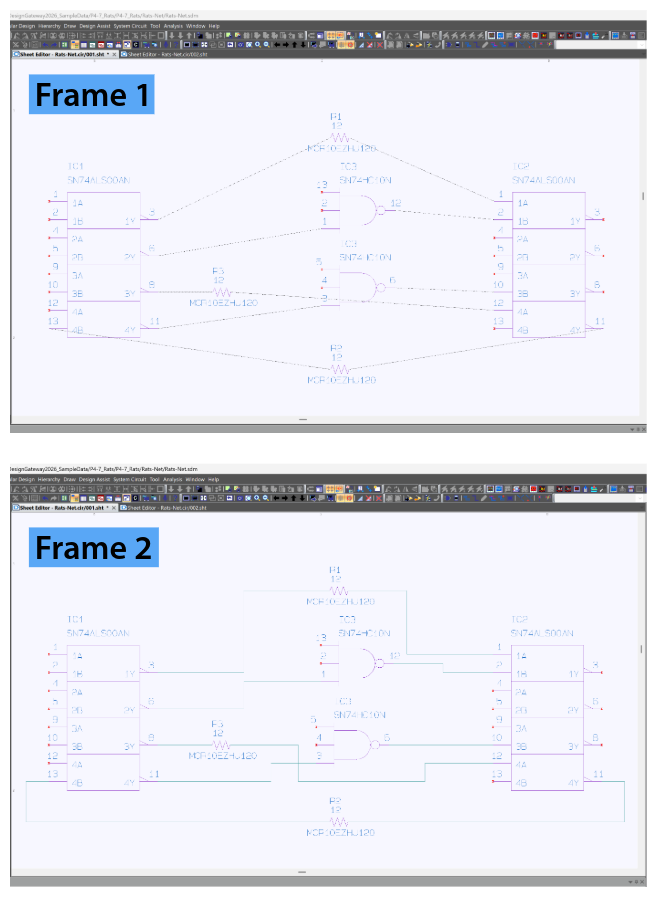
Two-frame schematic comparison showing logical connections established with single clicks, followed by wire routes automatically generated by the software.
The engineer establishes logical connections with a single click at each connection point, without manually drawing the wire paths. Frame 2: The automatic wiring function generates the wired routes.
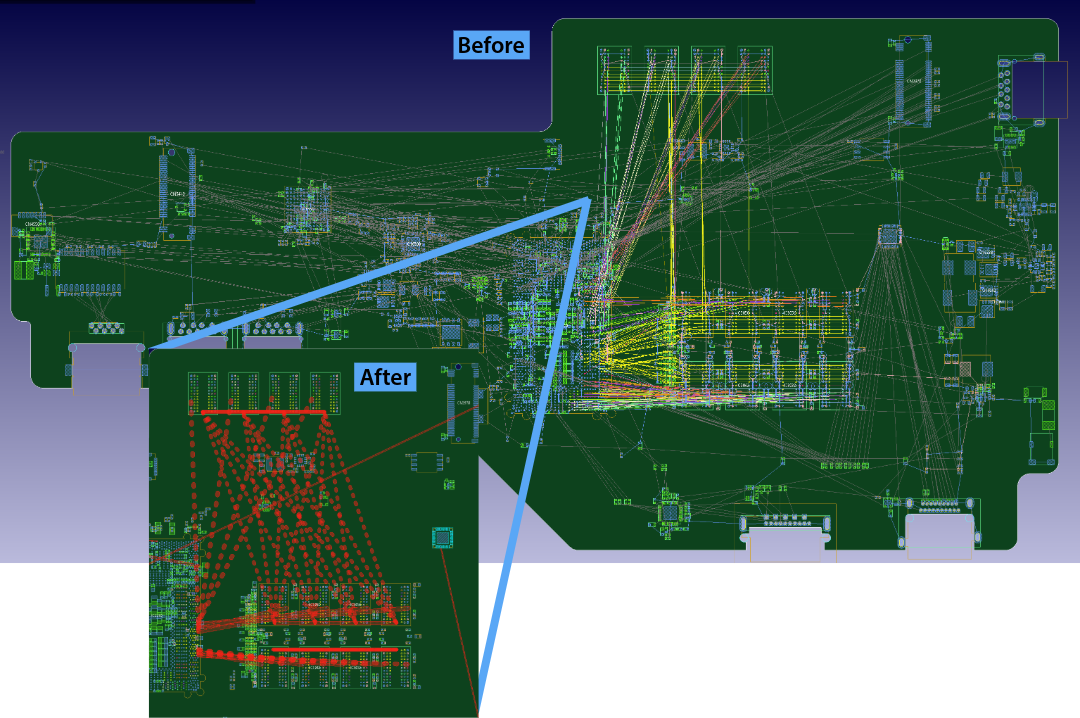
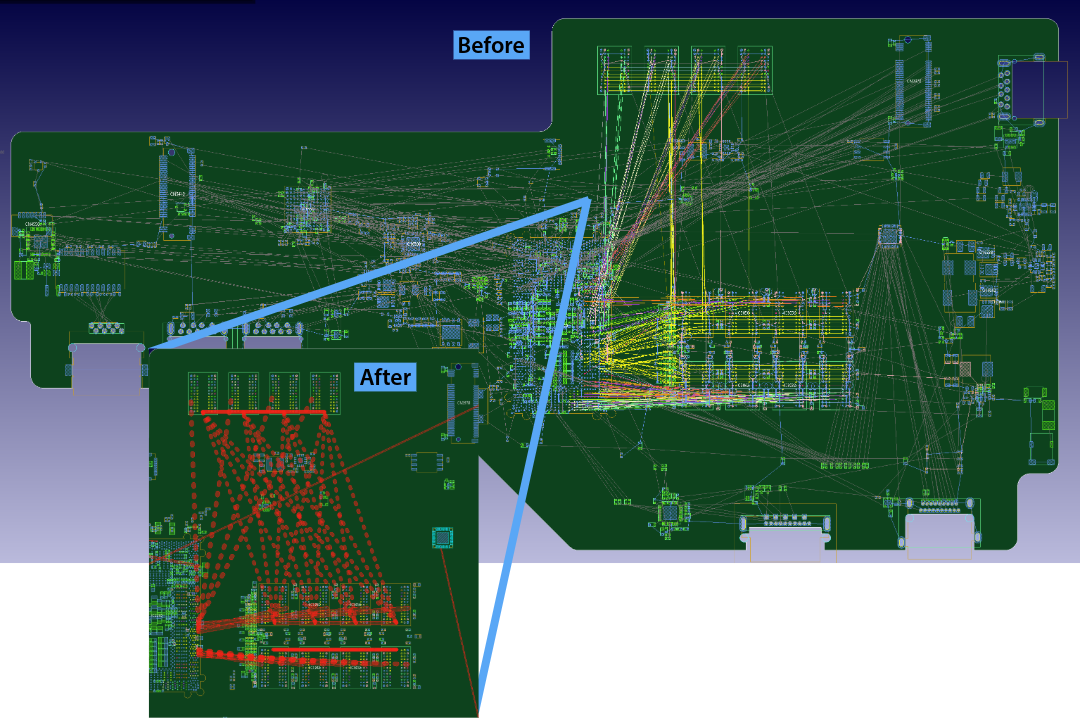
Before-and-after PCB layout views showing dense connection data compared with the simplified Main Path View highlighting primary device connections.
Before-and-after comparison showing how Main Path View clarifies connection density by filtering the PCB ratsnest to emphasize primary connections between major devices.

See the Connections That Matter With Main Path View

A dense PCB ratsnest can make it difficult to see which connections matter most when evaluating component placement.

The new Main Path View in Design Force filters the ratsnest to emphasize primary connections between major devices while suppressing connections to discrete components. Engineers get a clearer view of critical connectivity for PCB placement analysis and routing density decisions without repeatedly adjusting display settings.

Main Path View can also display connection-distance constraints and isolate power-related connections, helping engineers evaluate placement candidates and understand the PCB power layout with less manual filtering.

Build on Successful Designs With Smart Design Reuse

Starting a new PCB layout does not always mean starting from scratch.

New Smart Design Reuse capabilities allow engineers to search existing design data for placement configurations used successfully in previous projects, compare available reuse candidates, and apply a selected component arrangement directly to the current design. This reduces repetitive component-by-component placement while allowing teams to build on established design practices.

The new Dynamic Brain makes stored placement knowledge available across engineering teams through a locally hosted AIPR server. Placement data remains within the customer’s network environment rather than in the cloud, allowing organizations to reuse design knowledge while maintaining control over where their data is stored.

AIPR, or Autonomous Intelligent Place and Route, combines AI-assisted and machine-learning capabilities with other intelligent automation methods to support PCB placement and routing.

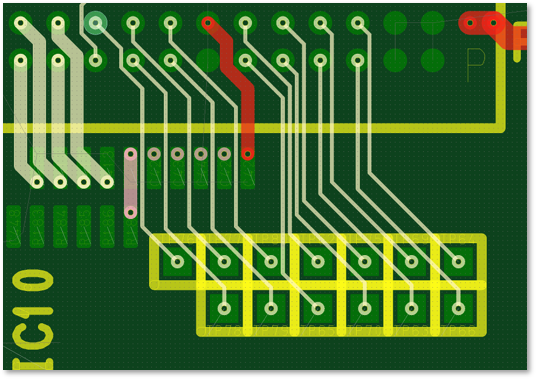
CR-8000 PCB layout showing short-segment routes between component pads using the enhanced Simple Routing function.
Example of short-segment routes using the newly enhanced Simple Routing function in CR-8000.

Gain More Control Over Automated Routing

CR-8000 2026 expands AIPR routing so engineers can automate more routine routing work without giving up control over the result.

The enhanced Simple Routing function provides greater control over short-segment routing, while a new fanout function helps route connections from high-pin-count devices to internal layers with less manual intervention.

Identify Potential EMC Issues Earlier in the Design Process

Cable routing and component placement can create EMC issues that are difficult to address later in the design process.

The 3D EMC Adviser Noise Interference Rule allows engineers to evaluate proposed cable paths against potential noise-emitting components and identify possible EMC interference violations before the design is finalized.

By identifying these conflicts earlier, engineers can adjust PCB component placement or cable routing while changes are easier to make, helping reduce the risk of EMC-related redesign later in the development process.

Automate Connections Based on Signal Standards

Electrical engineers often need to interpret standard signal types before determining how components should be connected. Once interpreted, those signals must be connected manually.

CR-8000 2026 introduces signal standard auto-connect capabilities in Design Gateway. A signal standard list provides reusable design IP that can evolve over time, allowing recognized signal types to support increasingly automated schematic connection workflows.

By shifting more of this routine connection work to the software, engineers can spend less time manually creating the schematic representation and more time defining the design intent.