Usage in Project
Default bundle symbols
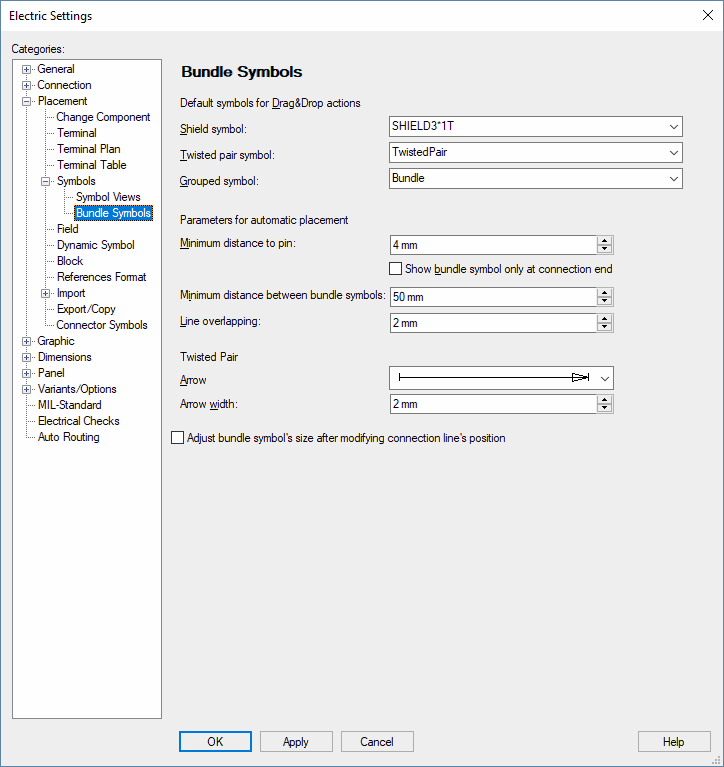
The symbols to be used can be defined in Settings -> Placement -> Symbols -> Bundle Symbols in the Default symbols for Drag&Drop actions section:
-
Shield symbol for shielded wires;
-
Grouped symbol for other wires;
When defining a cable in the database, the bundle symbol to be used in the project can be saved or defined (see also: Special wire types in DBE). When nothing is defined in the database, the default symbol defined in Tools -> Settings -> Placement -> bundle Symbols is used when placing a cable in the project.
Automatically placing bundle symbols
After selecting a cable bundle or a cable, it is possible to select the Autoplace Bundles command from the context menu of the Device tree view.
The bundle symbols defined in the Settings... are placed on the graphic connection lines, on which the bundled conductors are placed.
Placement distances are defined in Settings... -> Placement -> Symbols -> Bundle Symbols in the Parameters for automatic placement section:
-
Minimum distance to pin: Minimum distance from the symbol to the next conductor pin.
-
Minimum distance between bundle symbols: Minimum distance between bundle symbols.
-
Line overlapping: This value defines the placement position below and above the symbol; the value is determined symmetrically.
This command is only executed, if a bundle symbol has not been placed on the bundle yet.
Remarks
-
Symbols are placed on graphic connections of the original view as well as on all graphic connections of the views.
Graphic connections of the pin views are not considered.
-
Regarding multiple bundles (bundle in bundle), the symbols are arranged next to each other as long as it is possible due to the distance.
-
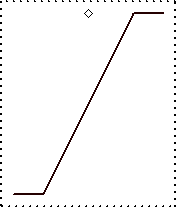
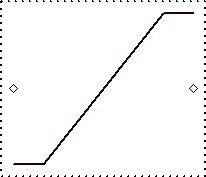
When the selection of the Autoplace bundle command displays the warning Invalid symbol definition for "Autoplace bundle"; The dragging direction for 'TwistedPair' should be vertical., a vertical symbol definition must be selected for the Twisted pair symbol in Settings -> Placement -> Symbols -> Bundle Symbols in the Default symbols for Drag&Drop actions section.
Vertical symbol
Horizontal symbol
Creating cable/wire bundles when placing conductors
When bundle symbols are placed on graphic connections, bundles are automatically generated for cables or wire groups when placing conductors or wires.
A bundle from the system cable can be moved in the tree view to an extendable overbraid or to a dynamic cable. In doing so, associated twistings and shields and all wires underneath the bundle are also moved.
Note
-
Bundles of one dynamic cable can be moved to another dynamic cable.
-
Bundles of a dynamic overbraid can be moved into a dynamic cable, which contains no cable.
-
Bundles with cable can only be moved into a dynamic overbraid cable.
Modifying symbols of special wires
Shield symbols can be changed by modifying the oval.
With Grouped symbols for bundles, the changeable graphic is bound to the symbol as grouped graphic. This group's graphic can be elongated in only one direction. The elongation takes place along the Y-axis.
With Twisted pair symbols, the graphic's size can also be elongated in only one direction. However, when modifying the graphic's size, the system determines the number of connection lines superimposed by the symbol. The original changeable graphic is copied as needed to cover all connection lines.
Restricting bundles from being automatically deleted
When a bundle is generated on a cable and/or a system cable in the project tree view, it is restricted from being automatically deleted. This means that when all bundle symbols are removed from the bundle, the bundle remains existing. If this bundle, however, is the result of placing a bundle symbol, this bundle is not restricted from being automatically deleted and therefore disappears upon deleting the last bundle symbol.
This restriction can be checked/unchecked using the Lock wire/bundle option in the Device Properties - Cables/CConductors dialog box.
Displaying arrow for twisted pair symbols in connection intersections
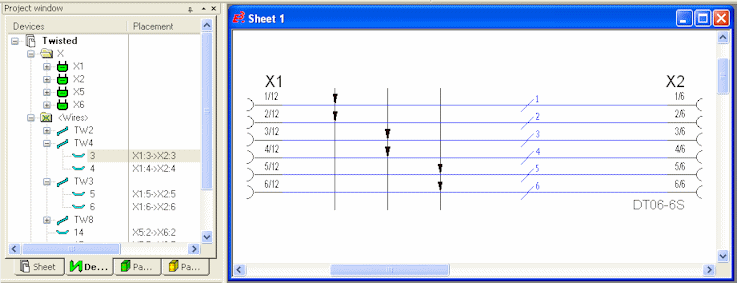
If twisted pair symbols are dragged across connections, an arrow symbol can automatically be displayed on every intersection point. In DBE mode it must be specified whether an arrow is displayed on the intersection points of the desired symbol of the type 'twisted pair'.
To do so, activate the Highlight intersection point of twisted pairs option in the Symbol Properties when editing twisted pairs symbols.
When the option Highlight intersection point of twisted pairs is defined for the symbol in the Symbol Properties, an arrowhead is displayed highlighting where the symbol graphic intersects with the graphic connect line. The arrowhead is displayed as defined in the settings under Tools -> Settings -> Placement -> Symbols -> Bundle Symbols -> Twisted Pair. The arrowhead is always drawn in the direction in which the line is created.
The line color of the symbol line intersecting the connection line is used.
Example