
Special Wire Types in Database Editor
Defining the symbol type
In Database Editor mode it is possible to define symbols for shielded, twisted or other wires on a symbol sheet.
The desired type has to be selected in the Symbol Properties...:
-
 Shield symbol for shielded wires;
 -
 Twisted pair symbol for twisted wires;
 -
 Grouped symbol for bundles for other wires.
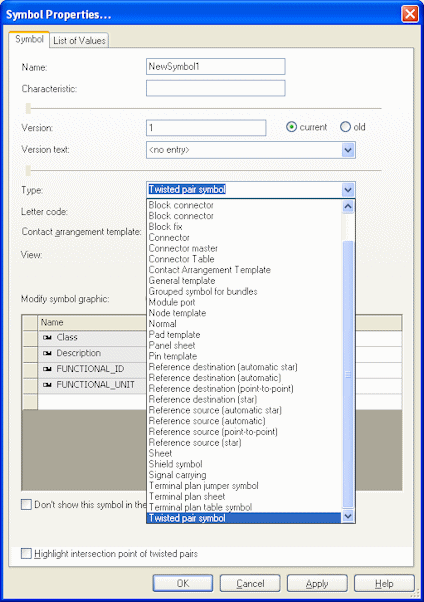
When twisted pair symbols are dragged across connections, an arrow symbol can automatically be displayed on every intersection point.
In DBE mode it must be specified whether an arrow is displayed on the intersection points of the desired symbol type 'twisted pair'.
To do so, activate the Highlight intersection point of twisted pairs option in the Symbol Properties when editing twisted pairs.
Defining changeable symbol graphic
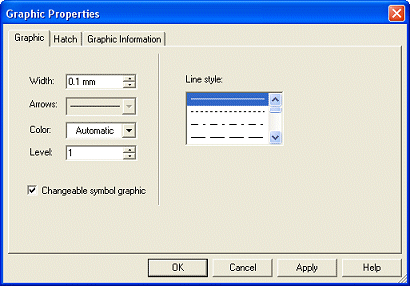
These symbols can have their sizes changed in project. Thus, shielded wires (i.e. symbols of the type 'Shield symbol') should already have an oval as graphic and at least one or two pins assigned. At least one graphic line of a twisted pair or grouped wires must be able to be modified.
For this purpose, the Changeable symbol graphic check box is available in the Graphic Properties... in DBE mode when editing a line. In case this option is checked, it is possible to modify the symbol graphic's size in project.
Note
The minimum size is defined by the space requirement from the symbol graphic within the database editor.
Usage on a cable sheet
These symbols can be placed on a cable sheet and dragged over the conductors as desired. A cable bundle with the respective properties of the symbol is generated for every placed symbol.
Besides the Add Shield command in Database Editor, the Add Twisted Pair and Add Bundle commands are available.
Using the Delete Bundle command it is possible to delete symbols of shielded, twisted or grouped wires.
When defining a cable in the database, the bundle symbol to be used in the project can be saved or defined. This default symbol can be defined in the Symbol Properties when editing or creating a cable. to do so, open the Symbol Properties of a corresponding object (shield, twisted pair or bundle) on the component sheet and select the desired Symbol name of the preferred bundle symbol.
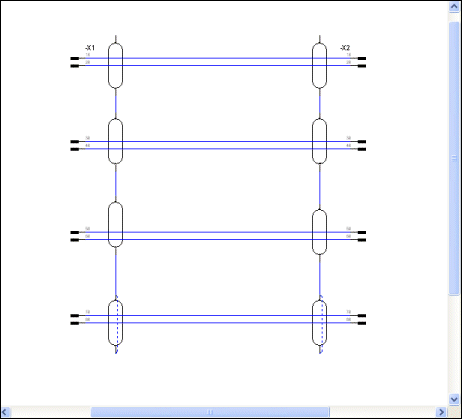
It is also possible to define a shield symbol with two pins. Thus, it's possible to create, for example Daisy chains, i.e. several shielded pairs of conductors can be drawn, with all of their shields being interconnected in a row.
See specimen drawing:
Attributes of special wires
Attributes can be assigned to cable bundles (e.g. "Special Wire Type"). If these attributes are linked to a text type and such text exists on a bundle symbol, these attributes are displayed on the symbol.