
Assign Supply
Assignment of power supplies in Database Editor mode
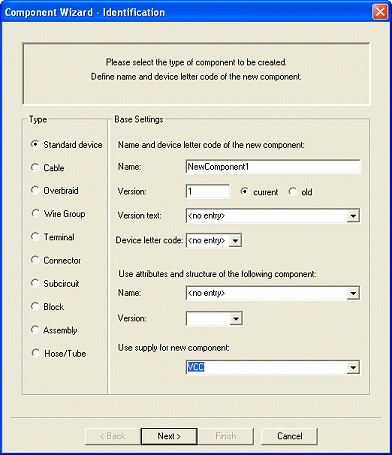
In the 'Base Settings' of the Component Wizard, (for standard devices, connectors, terminals), assignment to a supply definition is made before the Symbol Wizard can be called up.
If a Supply description is selected, the related signals can be chosen while defining symbol pins.
Assignment of the potentials to the related component pins
Assignment of the potentials of the power supply to the related pins of the component is accomplished in the Pin Assignment dialog box.
The Signal Equivalence column lists the standard signals of the selected Supply for selection.
After choosing the signals, entry is automatically adjusted in the Signal Equivalence column. In addition, the potential number is displayed in front of the standard signal (in the reserved area 1..10).
This assignment can also be made using the Component Properties dialog box, where the Pin Assignment tab is also available.
If the number of the pins of a component is not yet provided by a model, the
-
Insert supply pins and
-
Delete supply pins
commands can be activated in the context menu that is displayed when right-clicking on the table.
Assignment of supplies in Project mode
In Project mode, the Signal tab of the Device Properties dialog box serves for assigning a new power supply to a component. Impacts of the assignment, i.e. signal definition of the power supply pins can be verified in the dialog.
An individual modification of the potentials on the supply pins is not possible. It can only be determined by the signal definition of the corresponding potentials in the supply definition (Format -> Supply Properties...).
The following applies for the assignment:
-
If the old supply and the new supply contain the same supply types, the component is assigned the supply signals of the new supply (e.g. old: VCC, new: +5V).
-
In case the old supply has more supply types than the new supply, the signals of the additional supply types are taken over from the old supply to the new supply.
For a component without supply definition, the corresponding selection field must appear inactive.