Ballooning
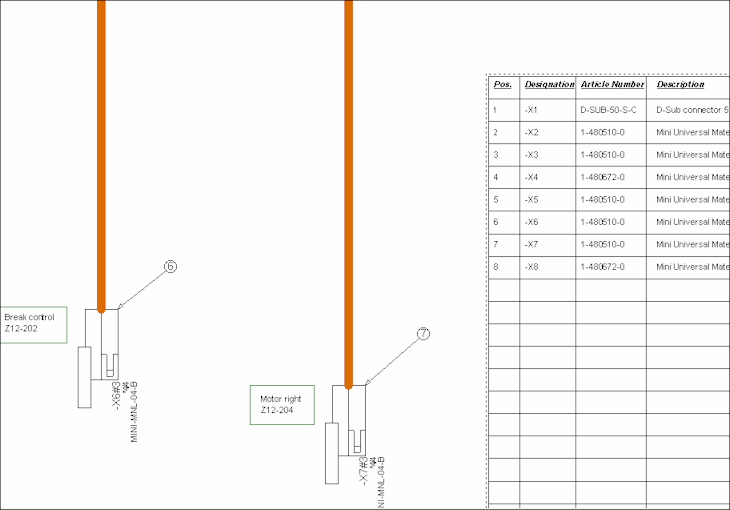
Ballooning is used to write a number to a component or another object (mostly encircled -> balloon), which is then referenced elsewhere on the sheet. The text is then placed on the respective component or object.
All texts, except for fix symbol texts, can be defined as ballooning texts. This is done in project when inserting a commentary text (Insert Text dialog) or using the Text Properties.... This is also possible in DBE when creating or changing symbol text.
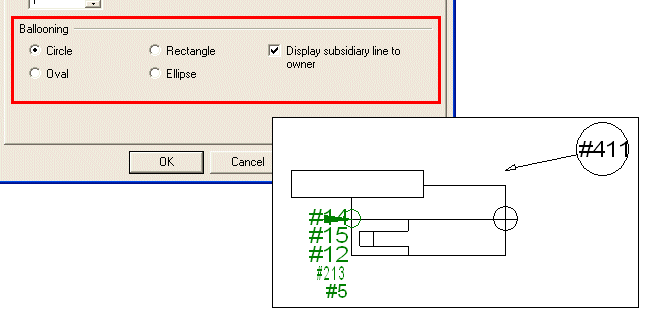
The ballooning text can be output within a
-
Circle,
-
Oval,
-
Rectangle or an
-
Ellipse
It is possible to define, whether a line is drawn to the owner (Display subsidiary line to owner). See example:
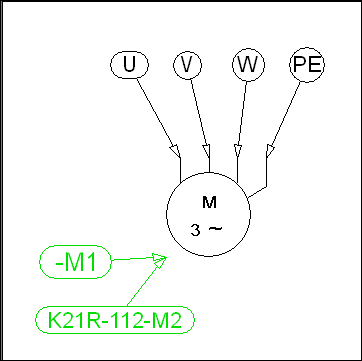
This line (with arrow) always displays the shortest distance between the balloon's edge and the owner's object.
The following applies:
-
If the owner is a pin, the line is drawn to the pin.
-
If the owner is a symbol, the line is drawn to the nearest corner or mid point of the rectangle's border.
Note
It is impossible with commentary and sheet texts.
The Opaque option (see Text Properties - Font) fills the text box with the background color before outputting (in contrast to the Ballooning Rectangle without borders).
If the text is, for example, dragged onto a colored graphic, the text will be placed in the current background color (in this case white). See example.

Procedure for using Balloons in E3.series
To be able to use BOM balloons in E3.series, the following steps should be went through:
Database Definition
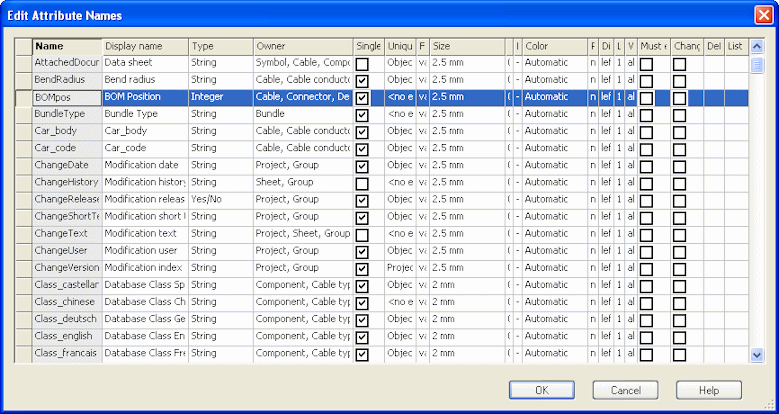
First of all an attribute for the balloon's position of a cable, connector, device etc. needs to be defined. Start the Database Editor and select the Format -> Attribute Names... command.
The following attribute is available in the standard database:
Attribute Name: BOMpos
Displayed Name: BOM Position
Owner: Cable, Connector, Device
What is more, the standard database provides the text type ' BOM Position' for displaying the BOM's position.
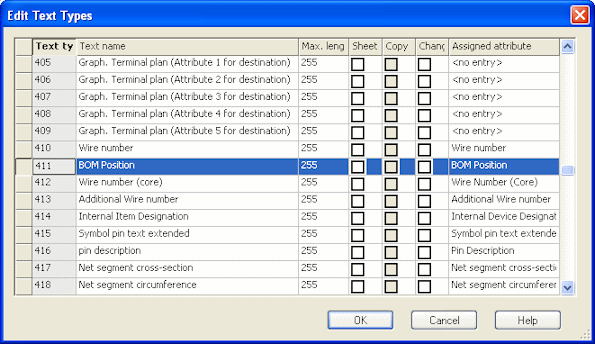
This text type is assigned the attribute 'BOM Position'. Select the Format -> Text Types... command in the DBE.
The following text type is available in the standard database:
Text type: 411
Text name: BOM Position
Assigned attribute: BOM Position
The text type "BOM Position" can now be added to all objects that are to represent BOM positions of the component.
Next, define the Ballooning properties of this text for the desired symbol in the DBE mode's Text Properties.
See example:
Script for Updating the BOM Positions in Project
It's now possible to define through a script that a BOM position is created for each device and the component attributes are updated by the BOM position's value. The balloons are automatically displayed in the drawing.
As soon as the ballooned text is moved, the arrow which points at the corresponding symbol, is automatically adjusted to the next corner of the symbol.