
Several Terminal Strips on one Side of the Terminal Plan
Always one terminal strip is displayed on one terminal plan side.
In case several terminal strips are to be displayed on the same terminal plan sheet, these terminal strips are to be merged to a dynamic assembly. Thus all terminal strips are merged and kept on the terminal plan sheets.
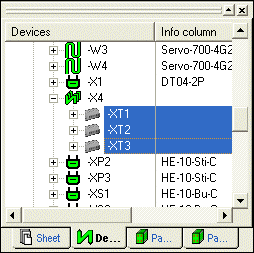
Desired terminal strips are therefor marked in the Device tree view and in the Device Properties... the Create Assembly option is executed. A terminal plan sheet can be created of the contained terminal strips in this assembly.
The "main information" which is displayed on the sheet are therefor output for the assembly (see also Information on the displayed Terminal Strip).
Note
When a "separation" should be marked between these different terminal strips of an assembly and the first terminal row, a special "separation symbol" (e.g. closing plate) should be defined as first element of the terminal strip, which is assigned the corresponding row graphic in the database.