
Creating Functional Schematic
This functionality is only available, when a E3.FunctionalDesign or E3.topology license is present!
A Functional Schematic is a schematic drawing where normal symbols or symbols with functional units are used.
To create a functional schematic, please proceed as follows:
-
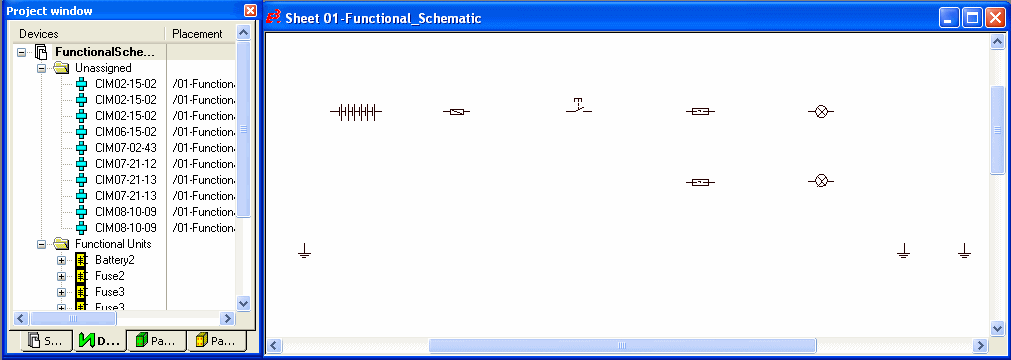
Place the desired symbols with the functional units on any schematic sheet:
-
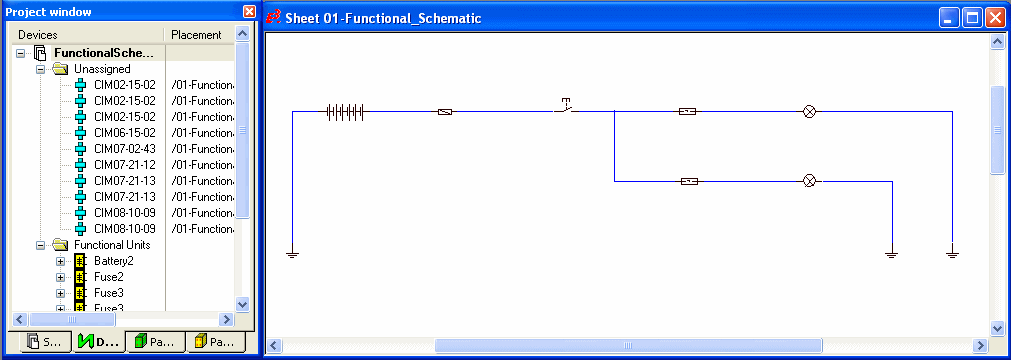
Afterwards connect the placed symbols:
-
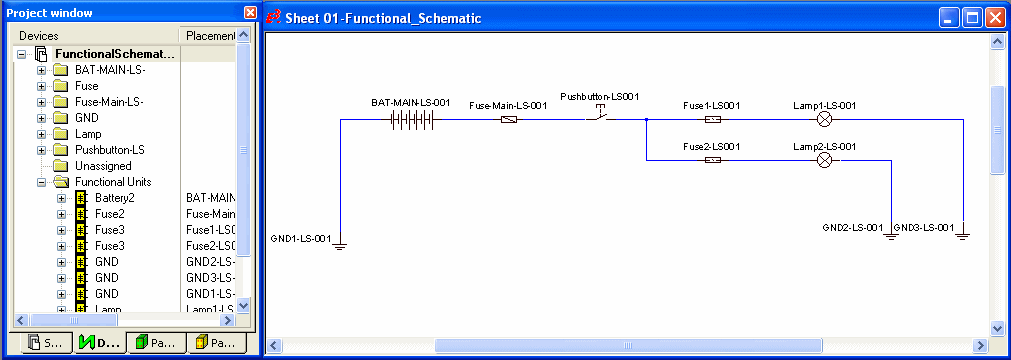
Now, assign symbols to a device and define the higher level assignment, location and device designation to indicate the system:
-
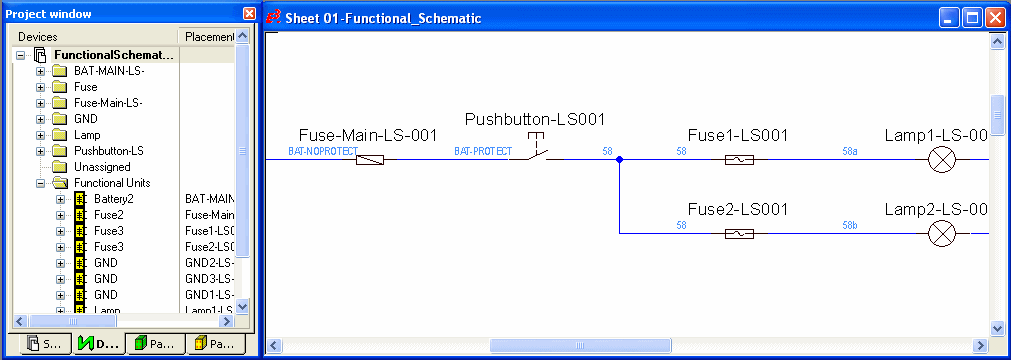
To complete the schematic, only define the signal names:
The completed functional schematic can be defined as subcircuits for re-use.
Therefore, create an object group from the complete schematic by using the Group objects command from the Edit Main Menu or select the corresponding button  .
To export the object group as subcircuit, proceed as follows:
-
mark the desired sheet with the group placed, or
-
mark the desired objects to be exported as group.
Then select the File -> Export -> Drawing command from the Main menu bar or the context menu from the Sheet tree view and complete the displayed dialog box.