
Edit Drills
Drills can only be modified in Database Editor mode (see Database Editor).
Starting the Database Editor and selecting the Drill... command from the Format Main Menu, a table is displayed that shows predefined drilling types for components to which a wire gauge, a tolerance definition and a unit of measurement belong.
When defining pins, only a combination of wire gauge and tolerance is displayed in the table.
The following dialog will be displayed:
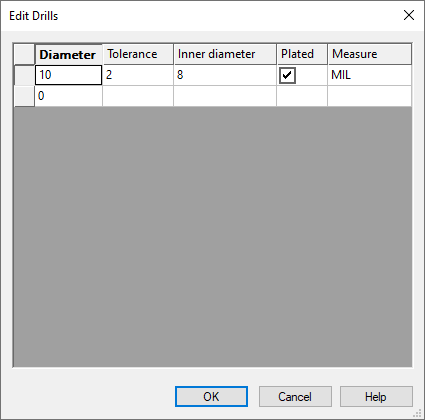
|
Edit Drills |
|||||||||||||||||||
|---|---|---|---|---|---|---|---|---|---|---|---|---|---|---|---|---|---|---|---|
|
Wire gauge |
Defines the wire gauge of the drilling for the pins. |
||||||||||||||||||
|
Tolerance |
Defines the drilling tolerance which is assigned the wire / drilling wire gauge. |
||||||||||||||||||
|
Inner wire gauge |
Defines the inner wire gauge of the drilling for examination for components to mould in. |
||||||||||||||||||
|
Plated |
This checkbox defines whether the drilling is plated. If the checkbox is inactive the drilling will not be plated. |
||||||||||||||||||
|
Measure |
Defines the unit for this drilling.
The following values displayed in a selection list are available:
|
||||||||||||||||||
To delete a line in the drilling table right-click on the left table edge and choose Delete from the displayed context menu.
Note
After a change the data is permanently saved to the database and therefore it is impossible to use the UNDO command!