Defining/Renaming Signals
Assignment of Signals to Pins Selected in an Area
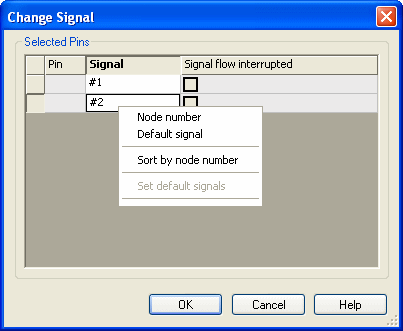
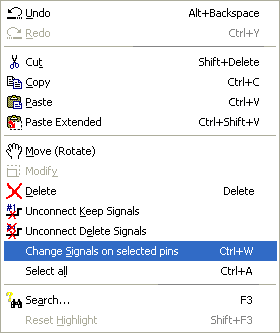
The Edit -> Change signals on selected pins command is used to assign signals to pins that are situated in a selected area.
The user does not have to search a long list in the Signals dialog box to find the pins, because the pins situated in the selected area are directly offered as a selection and the user can now easily assign signals by means of signal lists (for example DO..D7).
The pins in the dialog are ordered exactly the same way as graphically placed on the symbol. This is especially important because the graphical (mostly functional) placement on many components does not necessarily correspond to the component pin order which is mostly sorted according to names.
The function works for symbol pins but also for bus net nodes from which single connections start.
The selected area may contain different connection types that must meet the following conditions:
-
Bus connections
-
must belong to the same bus
-
must be placed on a horizontal or vertical line (determines the sorting direction)
-
-
Symbol pins / component pins
-
must belong to the same component or symbol (if the symbol is not yet assigned to a component
-
must have the same connection direction (determines the sorting direction)
-
-
Connector pins
-
must belong to the same connector
-
must have the same connection direction (determines the sorting direction)
-
-
Ports
-
must belong to the same hierarchical block
-
must have the same connection direction (determines the sorting direction)
-