
Scaling Already Placed Symbols in Schematic
To define a scale of an already placed symbol in the schematic the factor can be defined and Text size defined in database can be adjusted.
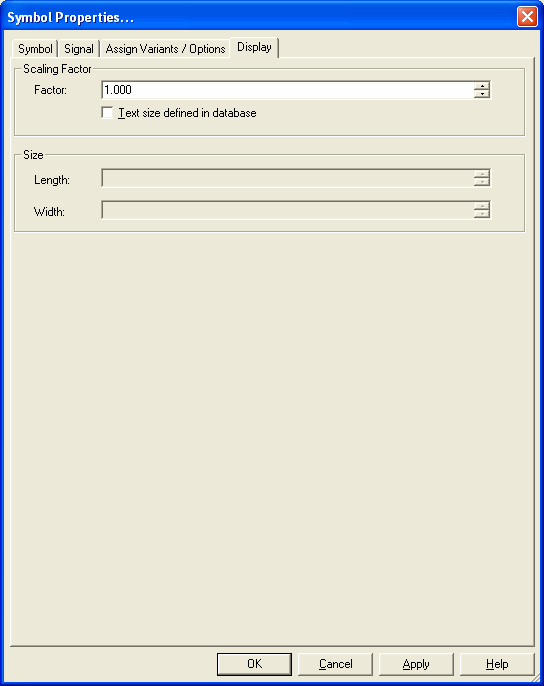
Therefore the Display tab is available in the Symbol Properties dialog:
|
Display |
|
|---|---|
Scaling Factor |
|
|
Factor |
Displays the scale of the selected symbol.
|
|
Text size defined in database |
Check this option to keep the text size when scaling. This option only effects the current change, i.e. depending on the option, the system determines the factor for the change currently to be executed, and texts are scaled by this factor, or not. |
Size |
|
|
Length |
The length depends on the horizontal scale (to the right).
Note
|
|
Width |
The width depends on the vertical scale (to the top).
NoteWith replicable symbols selected only one option is active as the symbol can either be scaled horizontally or vertically! The valid direction is defined by the space requirement which can be edited in DBE mode. |