
Device Properties - PLC Addresses
To display/modify the properties of PLC addresses,
-
with the required device selected in a Drawing Window, select Format -> Device Properties... from the Main Menu bar and select the PLC Addresses View on the Device Properties dialog box, or
-
right-click on the required device in the Drawing Window and select Device Properties... from the displayed context menu and select the PLC Addresses View, or
-
right-click on the required device in the Device tree view of the Project window and select the Device Properties... command from the displayed context menu and select the PLC Addresses View.
The following dialog box is only displayed if the PLC Start Address attribute (.PLCADDR) has been assigned to a pin of the I/O element.
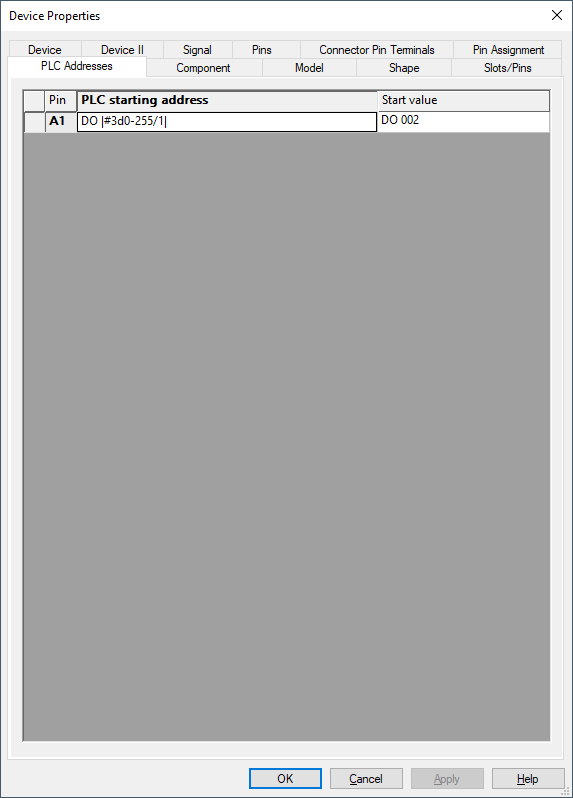
|
PLC Addresses |
|
|---|---|
|
Pin |
Displays the selected pin name. |
|
.PLCADDR |
This is the PLC Start Address attribute which has to be assigned to a pin of the I/O element. |
|
Start value |
Displays and defines the start value of the selected pin. |
Variants/Options
This part of the dialog is only displayed if variants/options have been defined in the project and the Standard Mode is active, but is inactive with this tab. |
|
The following applies:
-
If the PLC address format has been changed, the component type cannot be modified until the Apply button has been pressed on the Component tab.
-
If the component type itself is changed, changes cannot be made to the PLC address format until Apply is pressed.
-
If the component type itself is changed and the new component has no PLC Start Address, assigned to a pin of the I/O element, the PLC Addresses tab disappears and vice versa.
All pins that have a PLC Physical Address assigned to them (.PLCPHYSADDR attribute), are taken into account during automatic address assignment. For each pin, address assignment begins with a start address with the indicated start value. Counting ends, if an overflow occurs.
Example
|
Pin |
PLC Start Address |
Start Value |
|---|---|---|
|
2 |
DI|#2d1-64/1|.|#1x0-F/0| |
DI01.0 |
|
22 |
DO|#2d1-64/1|.|#1x0-F/0| |
DO01.0 |